
Money
The balance and the payment account
pro.pyryx.com/argentSee this screen in the demo
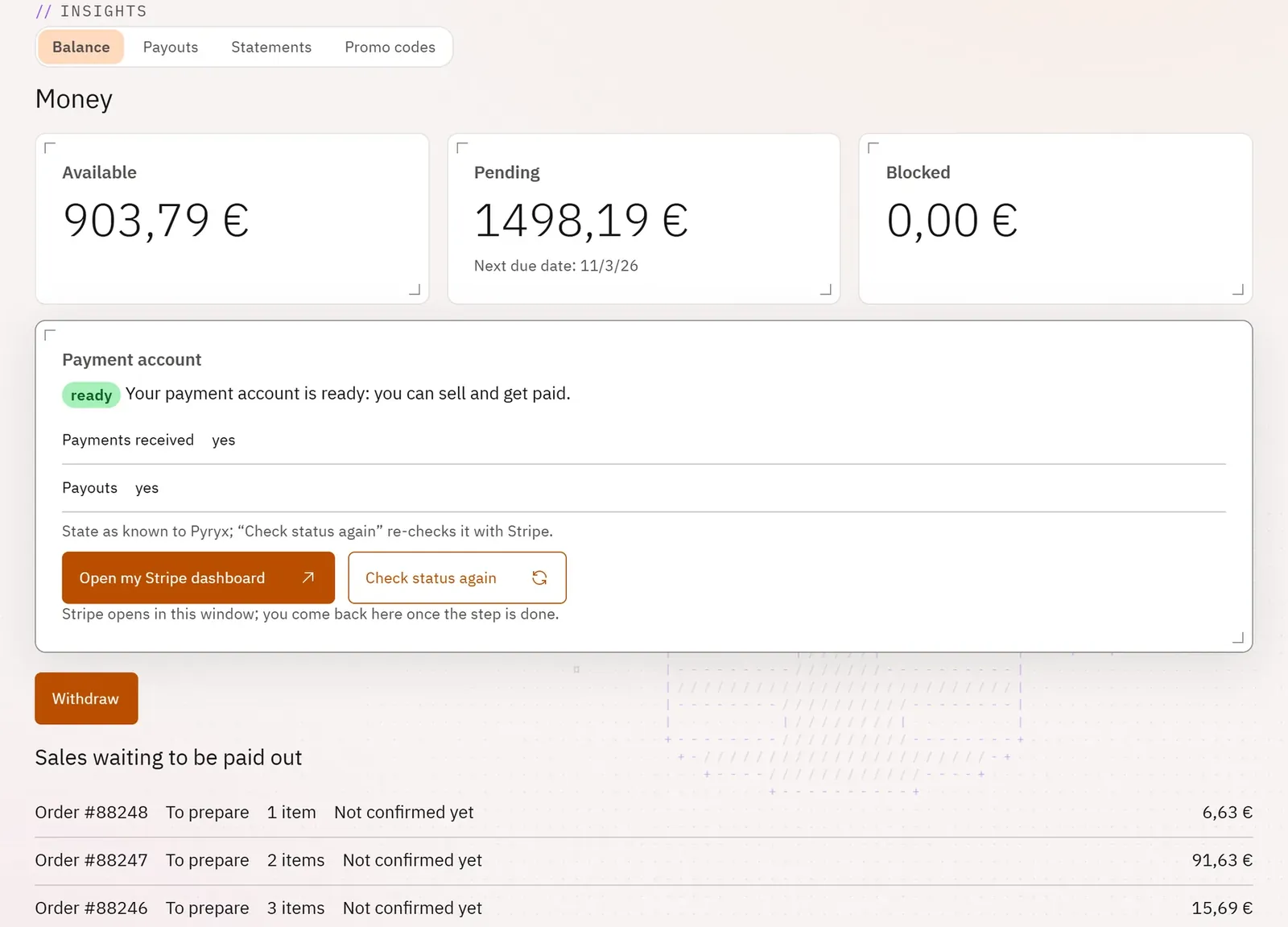
See what your online sales have earned you, what is available and what is pending, then transfer it to your bank account. The Stripe payment account is created and completed without leaving Pro.
 1234
- 1The payment account
- 2The available amount
- 3Sales awaiting payout
- 4Withdraw
What you can do
- The payment account’s status (ready, to complete, blocked), what Stripe still needs, and the matching action: Create my payment account, Complete my registration, Open my Stripe dashboard.
- Three amounts: Available, Pending, Blocked, and the next due date.
- The details of sales awaiting payout and of withheld amounts (disputes).
- Withdraw to your bank account.
Step by step
- Open Money: the Balance appears.
- If needed, complete your payment account from the Payment account card.
- Tap Withdraw, enter the Amount to withdraw (€).
- Check the summary, then tap Confirm the withdrawal.