
Loyalty
Crediting at the counter
pro.pyryx.com/fidelite/crediterSee this screen in the demo
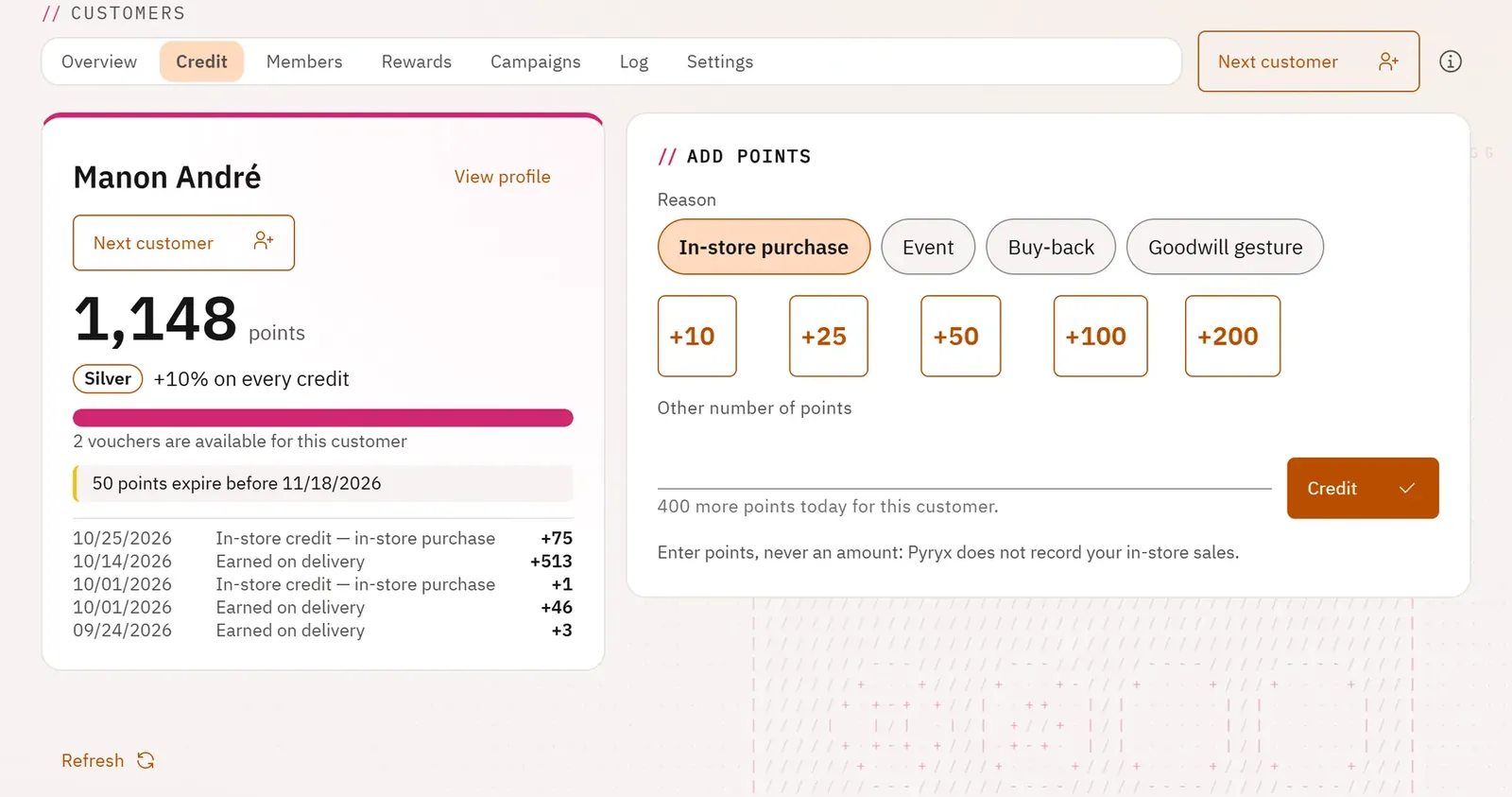
This is the everyday screen, designed for the counter tablet: you identify the customer, you see their balance and what they still need for a voucher, you credit with one tap.
 1234
- 1The customer and their balance
- 2The progress towards a voucher
- 3The quick credits
- 4Next customer
What you can do
- Identify the customer by their code (handheld scanner, keyboard, camera) or by their name.
- See their balance, their status bonus, their progress towards the next voucher, the available vouchers, the points that are expiring and their latest movements.
- Credit with one tap (10, 25, 50, 100 or 200 points, depending on what is still allowed today) or another number, with a reason.
- Cancel a credit entered by mistake (owner).
- Move on to the next customer.
Step by step
- Open Credit.
- Scan the customer’s code with the handheld scanner, or look them up in By name.
- Tap a quick credit, choose the reason, then Credit.
- Click Next customer.