
Stock and listings
The shop’s binders
pro.pyryx.com/stock/classeursSee this screen in the demo
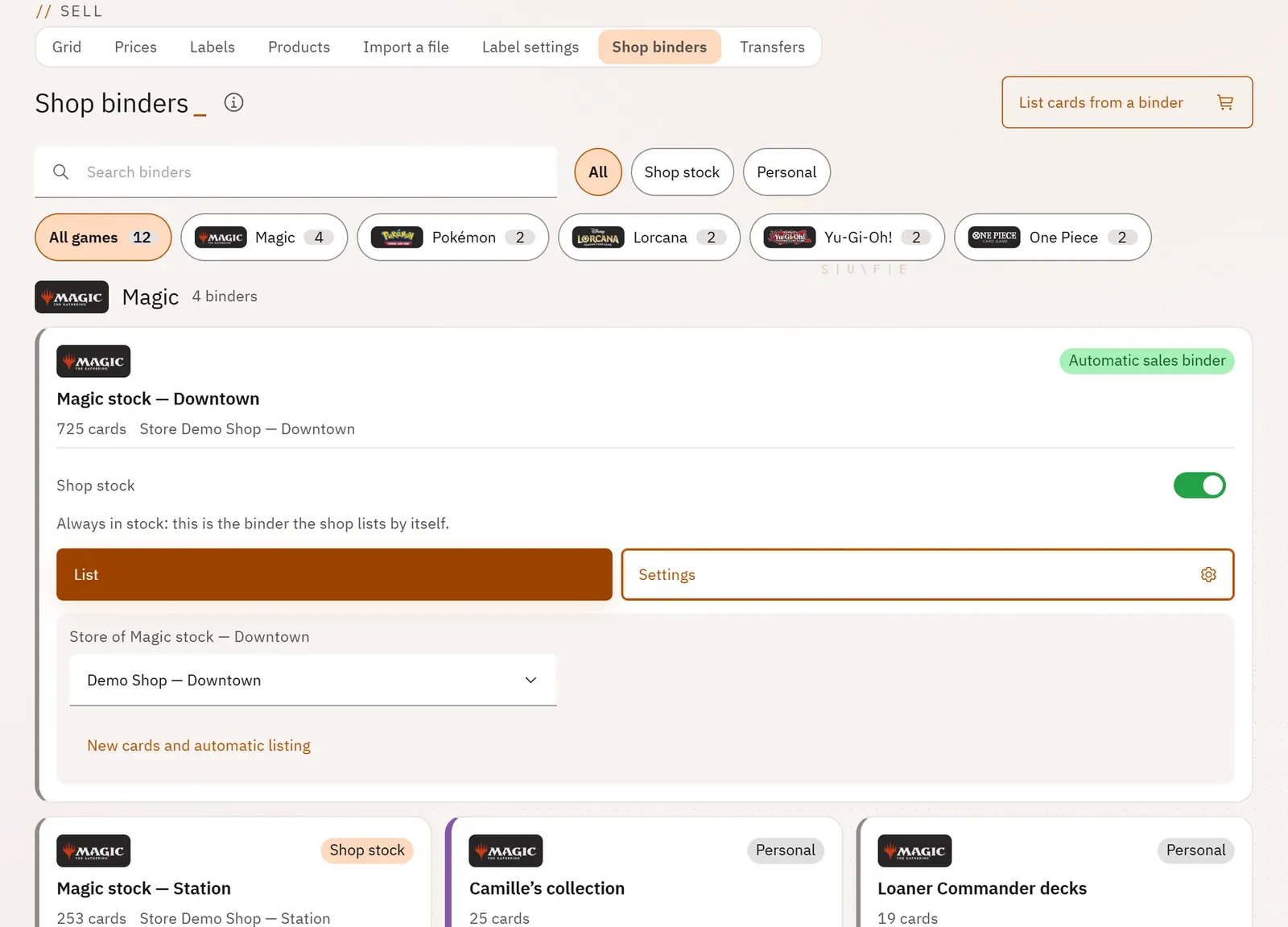
You decide which binders make up the shop’s stock for sale: your team then sees their cards in the grid and can put them on sale. Each binder belongs to a store and can grow its listings on its own.
 1234
- 1The game filter
- 2Mark a binder as stock
- 3List this binder
- 4The binder’s settings
What you can do
- Search for a binder, filter by game, show all binders, the stock ones or the personal ones.
- Mark or unmark a binder as “Shop stock”.
- Open the listing screen of a binder, even a personal one.
- In the settings: choose the binder’s store, see the cards added since the last listing, turn on automatic listing, synchronise the listings.
Step by step
- Open the Shop binders tab.
- Choose a game from the chips.
- Turn on Shop stock for the binders to sell.
- Click Settings: choose the store, turn on Automatic listing if you wish.