
Store profile
Opening hours
pro.pyryx.com/magasinSee this screen in the demo
You show accurate opening hours on the public page, including split days, evenings that run past midnight and exceptional closures.
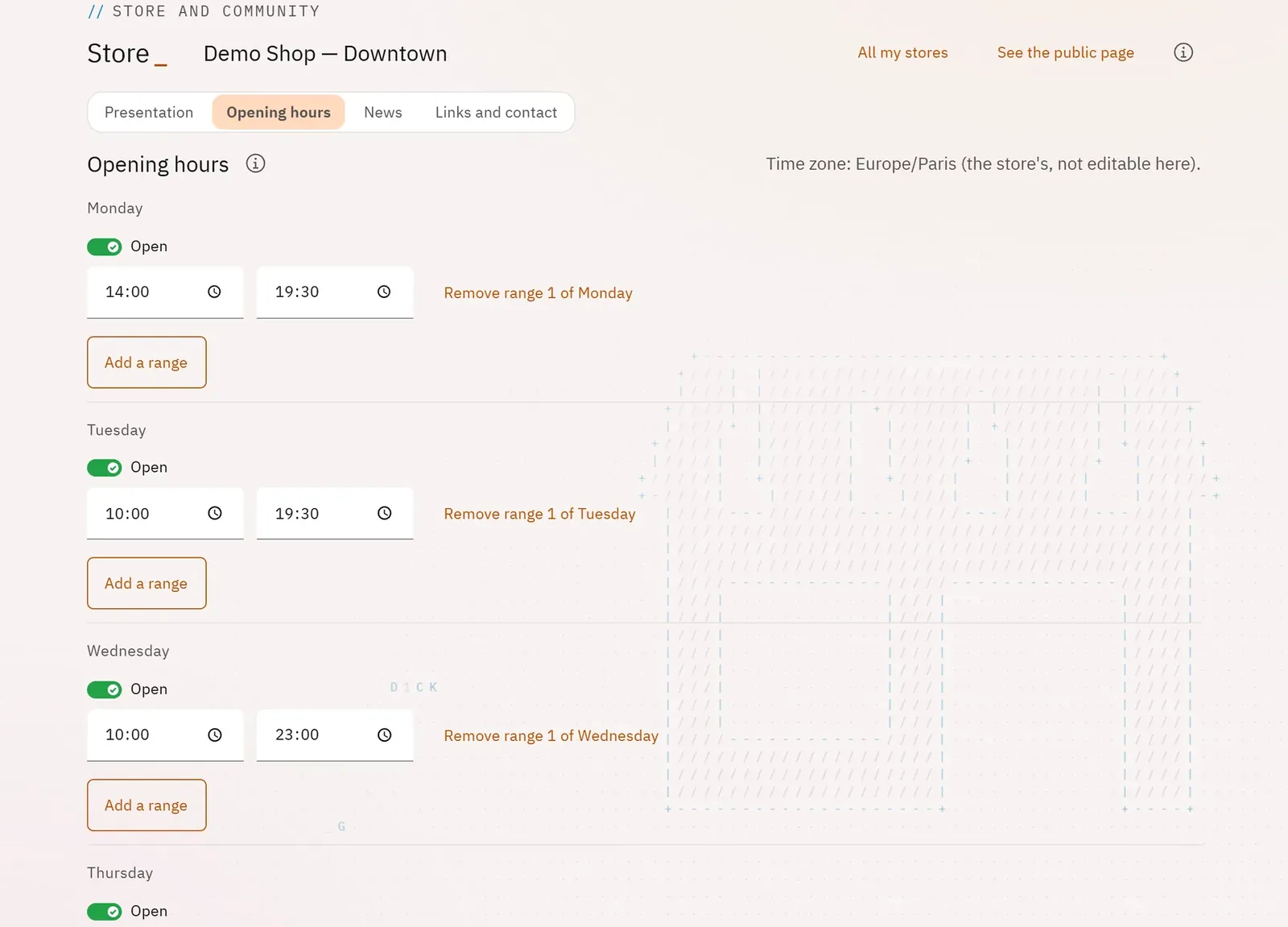 123
- 1The time zone
- 2A day of the week
- 3Add a slot
What you can do
- Open or close each day, with up to three slots per day.
- Create a slot that runs past midnight: the screen shows it clearly.
- Declare unknown opening hours.
- Add exceptional periods (public holidays, holidays, event): closed, or specific slots, with a label.
Step by step
- In the store profile, open Opening hours.
- Turn on Open for each day and enter the times; Add a slot for a lunch break.
- Click Save the opening hours.
- For holidays: fill in From and To, tick Closed, then Add the period.