
Stock and listings
The auto price
pro.pyryx.com/stock/prixSee this screen in the demo
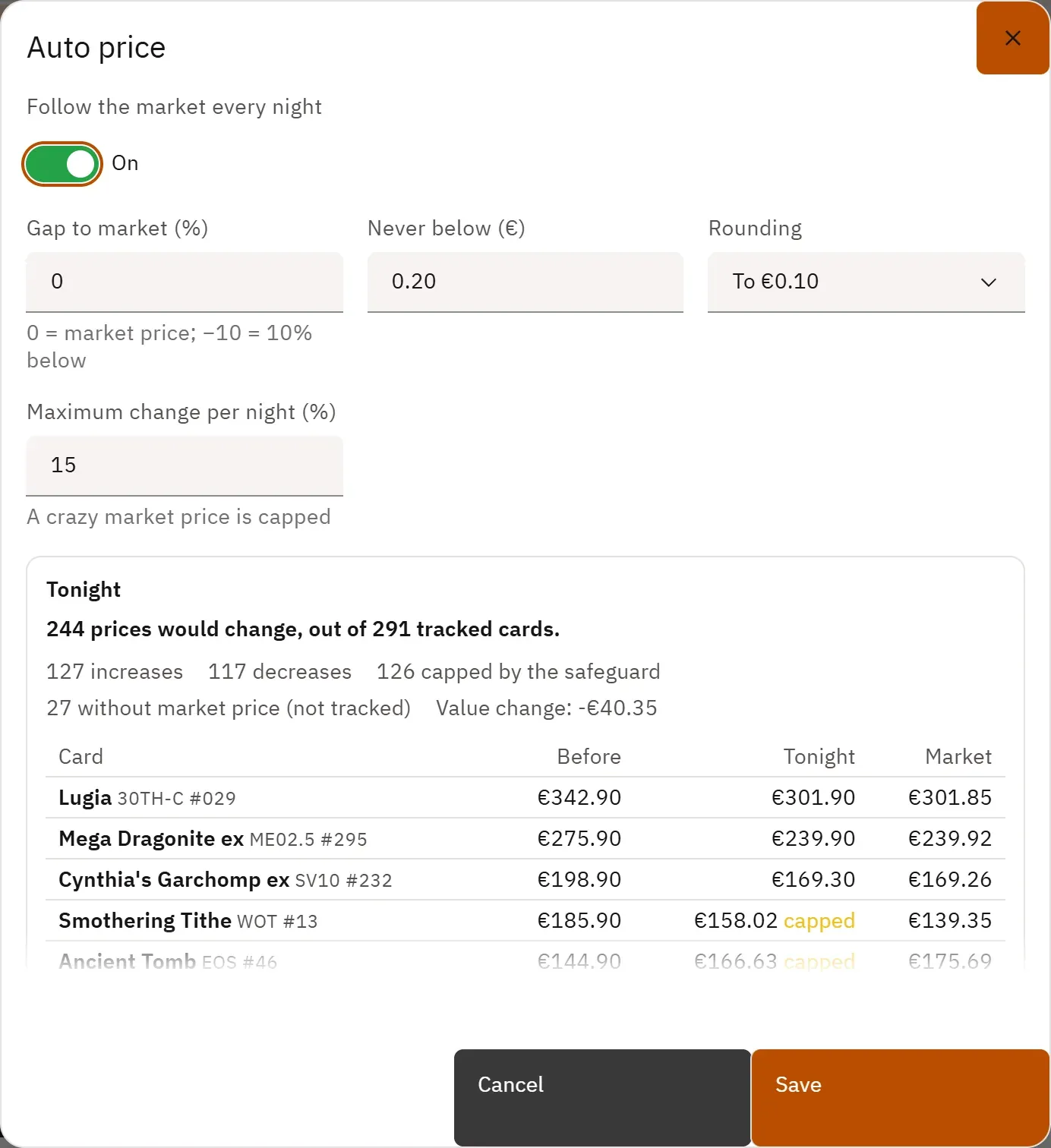
Your cards on sale that are not locked follow the market price every night, with the gap, the floor and the rounding you choose. A safeguard slows down sudden swings: you no longer have to rework your prices by hand.
 12
- 1Turn on market price tracking
- 2The gap to the market price
What you can do
- Turn following the market price every night on or off.
- Set the gap to the market price in %, the floor price, the rounding (to the cent, to €0.05, €0.10, €0.50 or to the euro) and the maximum change per night.
- See, with each setting, how many prices would change tonight, the rises, the drops, those the safeguard caps, and the biggest changes.
- Give a selection of cards its own auto price, with a preview of the prices that change straight away, or return it to the shop’s price.
Step by step
- In the Prices tab, click Auto price.
- Turn on Follow the market every night.
- Set Gap to market (%), Never below (€), Rounding and Maximum change per night (%).
- Read the Tonight preview, then click Save.