Skip to content
Pyryx Help

Sell

The buyback counter

Buy a collection in a few minutes, at the right price and within the law: from the moment the customer walks in to the cards going into stock.

The buyback slip moves forward in four steps: the customer, the cards, the prices, the payment. The customer is found by name or by their Pyryx code; cards are photographed or typed in, in the right printing, with their condition and language; prices are calculated at your shop’s rates; payment is made by bank transfer, by cheque or as store credit, a voucher in the customer’s name valid for one year. Never in cash.

A validated slip is locked and numbered, and signed on the tablet. A mistake is corrected with a cancellation slip. The register is kept for at least ten years, and the police register can be exported as PDF and CSV.

1CustomerFound by nameor Pyryx code,ID document noted.2CardsPhotographed or typed,right printing,condition and language.3PricesCalculated at theshop’s rates, valuationclose at hand.4PaymentTransfer, cheque orstore credit (1-yearvoucher), never cash.5RegisterSlip signed, locked;buyback and policeregisters up to date.
A counter buyback, step by step
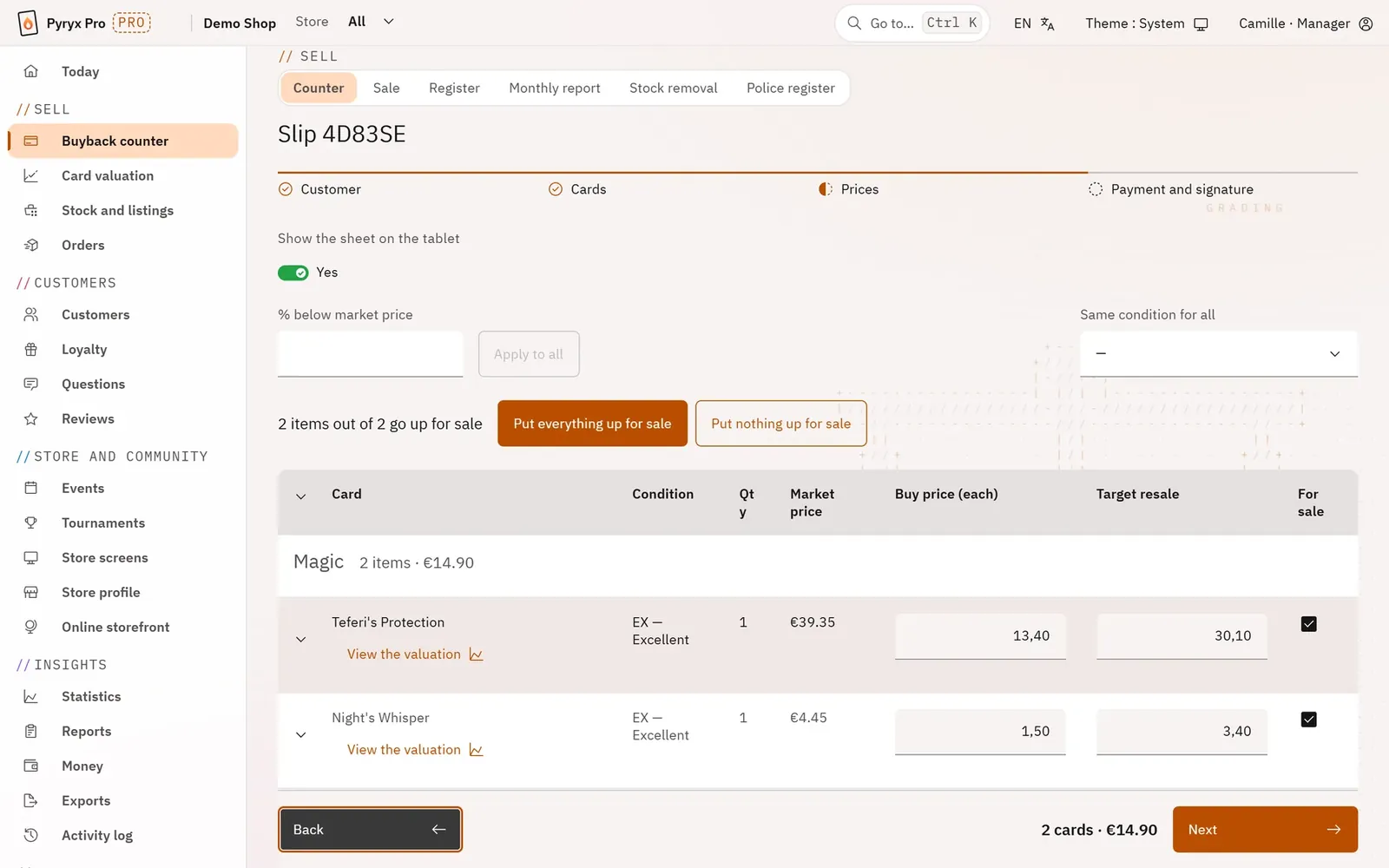
A buyback slip at the prices step: each card in the right printing, its condition, its market price and the price offered at the shop’s rates.


Step by step · Buyback counter

The counter home screenThe workstation of the employee at the counter, on a tablet or a computer. A large button to buy back, the other counter actions next to it, then the slips started and still to finish, and the latest validated slips.Buyback, step 1: the customerLink each buyback to a real customer of the shop, without retyping everything when they are already known. The screen then only asks for what the register is missing, taken from their ID document.Buyback, step 2: the cards, by photo or by keyboardBuild the list of cards bought quickly and with the right printing, because the printing determines the price. Photograph the cards laid flat: each photo is analysed while you take the next one. Or type them into a single field.Buyback, step 3: the pricesSet the price paid for each card while seeing its market price, the target resale price and the margin. Decide in the same place what will be put up for sale as soon as the slip is validated.Buyback, step 4: paymentPay the seller in a traceable way. The amount to pay is shown in large type, and the payment method is recorded on the slip.The customer’s signatureThe tablet turns towards the seller: they see only what they are handing over, what they receive and how, then they sign with a finger. Their signature makes the slip a record in the register.Manager approvalLet the team buy on their own while keeping control over large amounts and abnormal prices. Beyond your limits, an employee’s slip waits for a manager’s approval.The validated buyback slipThe register record, as an inspection will ask for it, printable in A4. It is also the only clean way to correct a mistake: the counter-slip.The buyback registerFind any slip, finished or not, by period, status, game or employee. A line opens the slip; a started slip opens so that it can be finished.The monthly reportWhat came in, what went out and the month’s money, in counts and amounts, for your own follow-up and for your accountant. No card and no person appears in it.Stock removalRemove from stock, and therefore from online sale, a card sold at the counter, lost, given away or used. Your online shop never sells a card that is no longer there.The police registerExport, for a period, the register of second-hand goods that the law requires of second-hand dealers: as a PDF for an inspection, as a CSV for the accountant.

Step by step · Counter sale