
Events
Publish, follow registrations, take attendance
pro.pyryx.com/evenementsSee this screen in the demo
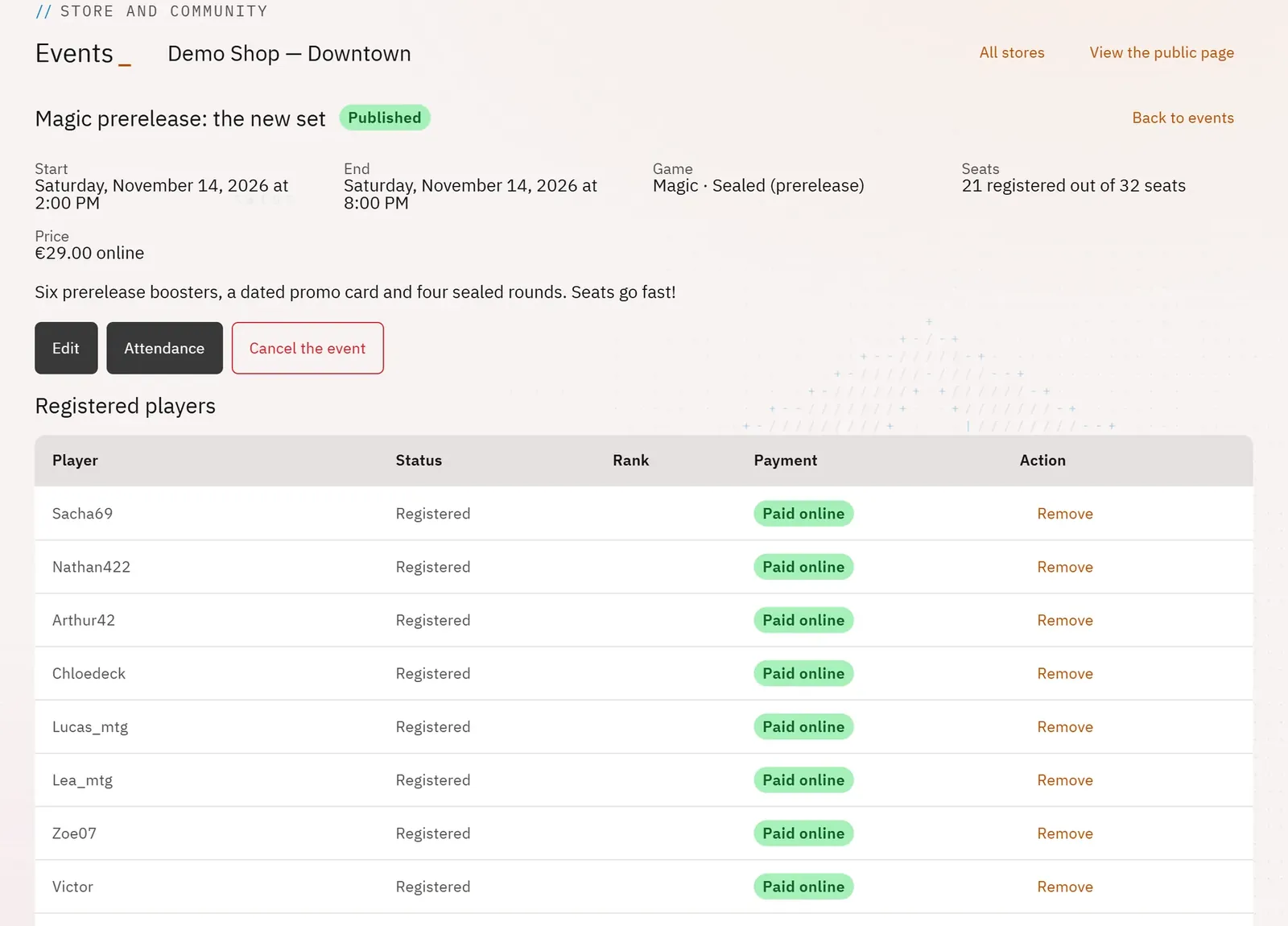
From an event’s page, you publish it in one move on the store page, on your TVs and in the news. You follow who has registered, check off those present on the day and print the attendance sheet.
 1234
- 1Edit the event
- 2Today’s attendance
- 3The list of attendees
- 4Cancel the event
What you can do
- Publish a draft, with two boxes: Show on the store’s screens and Announce in the news.
- See the attendees, their status, their place on the waiting list and whether they paid online.
- Remove an attendee, with a reason the player will read; their paid registration is refunded.
- Cancel the event: the window tells you how many paid registrations will be refunded, then shows the outcome.
- Attendance: tick who is present and who paid at the venue, then print the list.
Step by step
- In the list, tap the event’s name.
- For a draft: tick the boxes you want under Publish the event, then tap Publish.
- On the day, tap Attendance, tick Present and Paid at the venue, then Save attendance.
- Tap Print the list for a paper sheet to have signed at the door.
- If something comes up: Cancel the event, enter the reason, then confirm.