
Activity log
The shop’s activity log
pro.pyryx.com/journalSee this screen in the demo
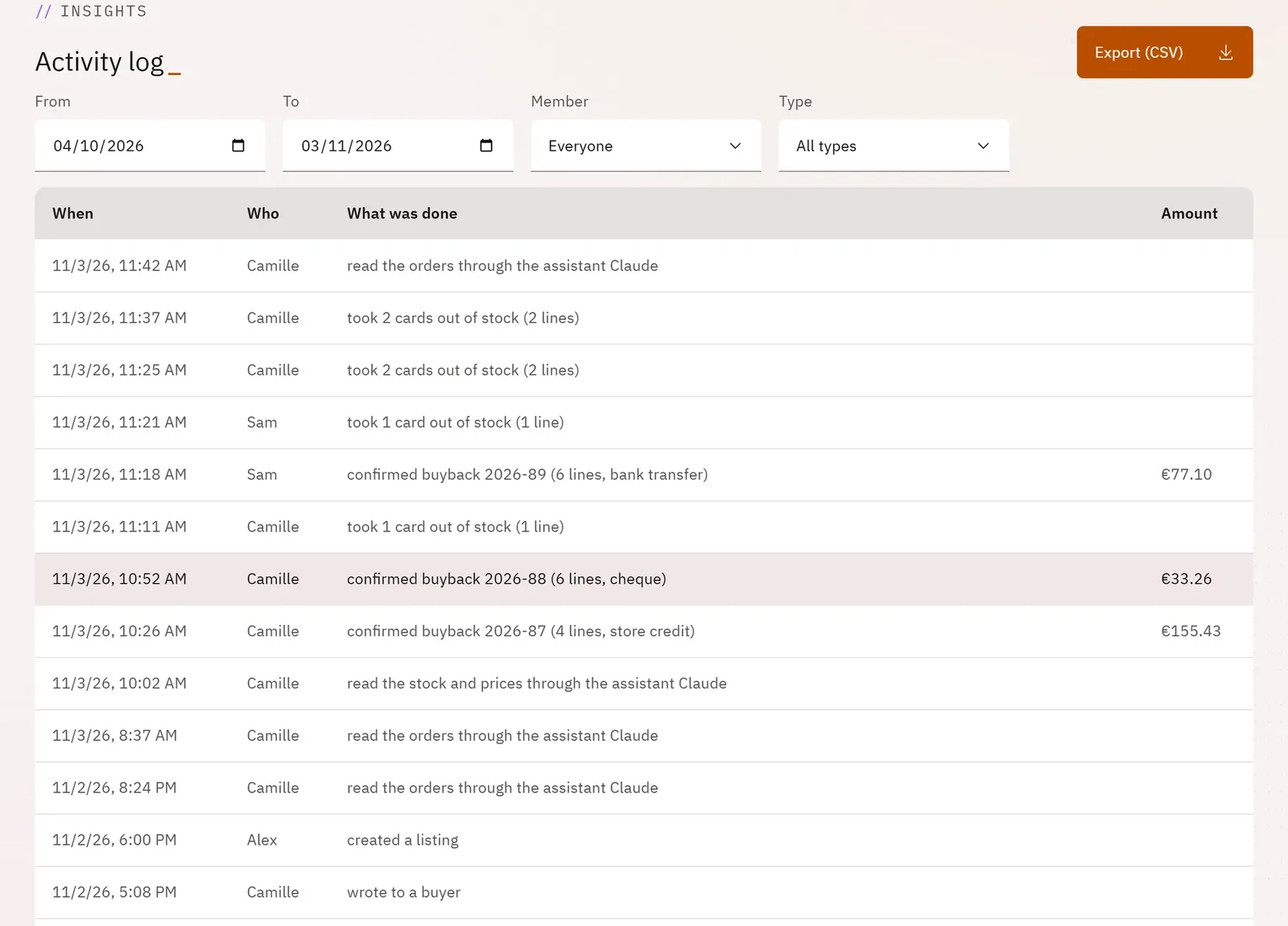
Know who did what, and when: buybacks, stock removals, prices, orders, settings, actions by the team and by AI assistants. Useful for understanding a stock discrepancy or following the team’s work.
 123
- 1Export the log
- 2Filter by type of action
- 3A log entry
What you can do
- The filters “From” and “To” (the last 30 days to start with), “Member” (for the owner) and “Type” (buybacks, stock, listings, orders, money, team, assistants…).
- The table: when, who, what was done, and the amount if there is one.
- Show more to go further back.
- Export (CSV) for the owner, up to 10,000 lines.
Step by step
- Open “Activity log” in the menu.
- Set From and To, then choose a Type and, if needed, a Member.
- Tap Export (CSV) to keep a record.