
Store screens
Quick announcement and tables on screen
pro.pyryx.com/ecransSee this screen in the demo
An urgent message on all your TVs in ten seconds, without going through the studio. And control over the games your players put on your screens.
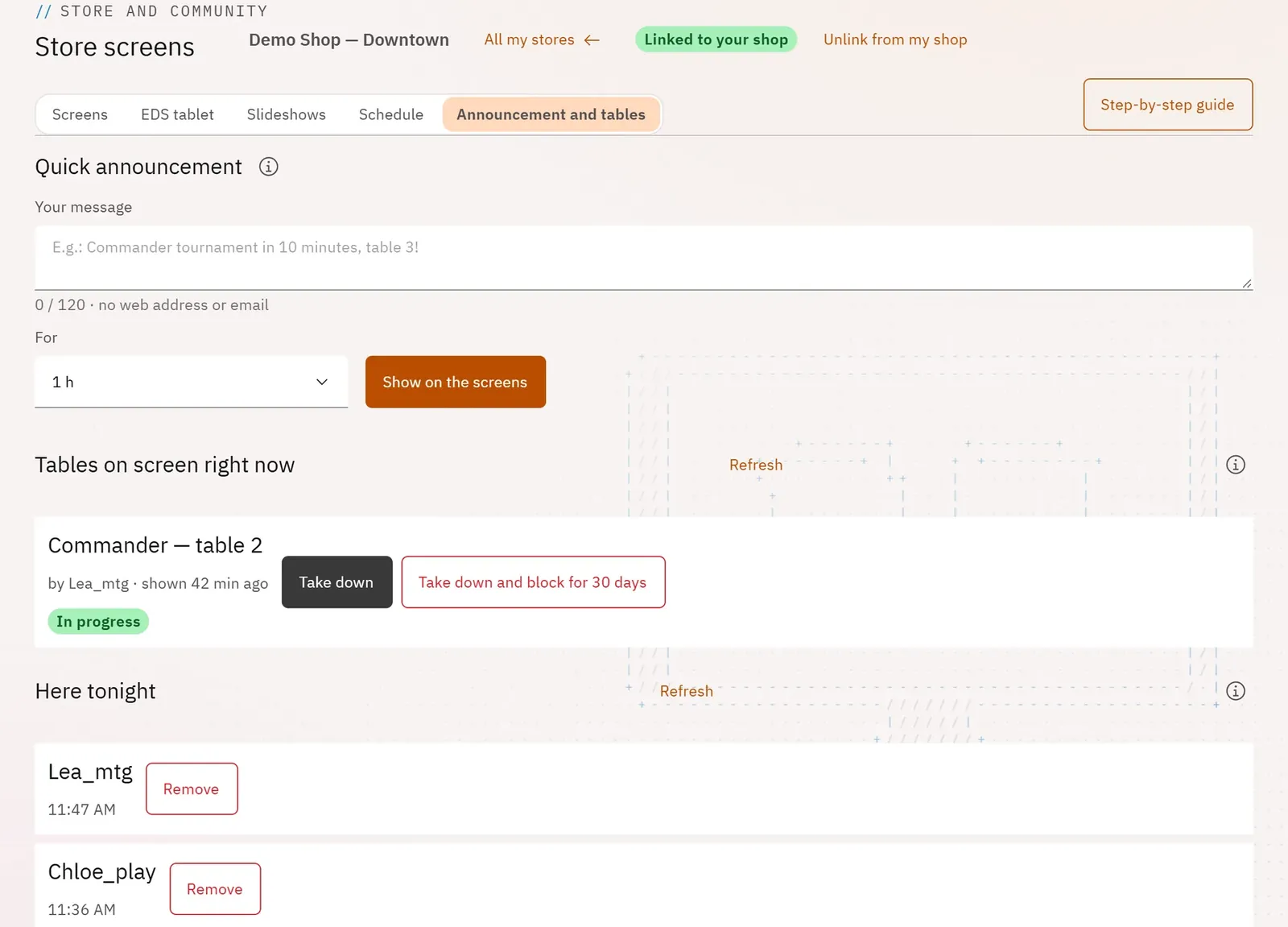 1234
- 1The quick announcement
- 2Show it on the screens
- 3The tables on screen
- 4Here tonight
What you can do
- Quick announcement: a short message, shown as a banner on every screen in the store, for the duration you choose.
- Tables on screen right now: the games that players are showing in Scoreboard mode, with their host.
- Take down a table, or Take down and block for 30 days its host.
- For the manager: Here tonight, the players who checked in using the “Club welcome” slide.
Step by step
- In a store, open the Announcement and tables tab.
- Write Your message, for example “Commander tournament in 10 minutes, table 3!”.
- Choose the duration under For, then tap Show on the screens.
- To take it down earlier, tap Remove.