
Customers
A new customer
pro.pyryx.com/clients/nouveauSee this screen in the demo
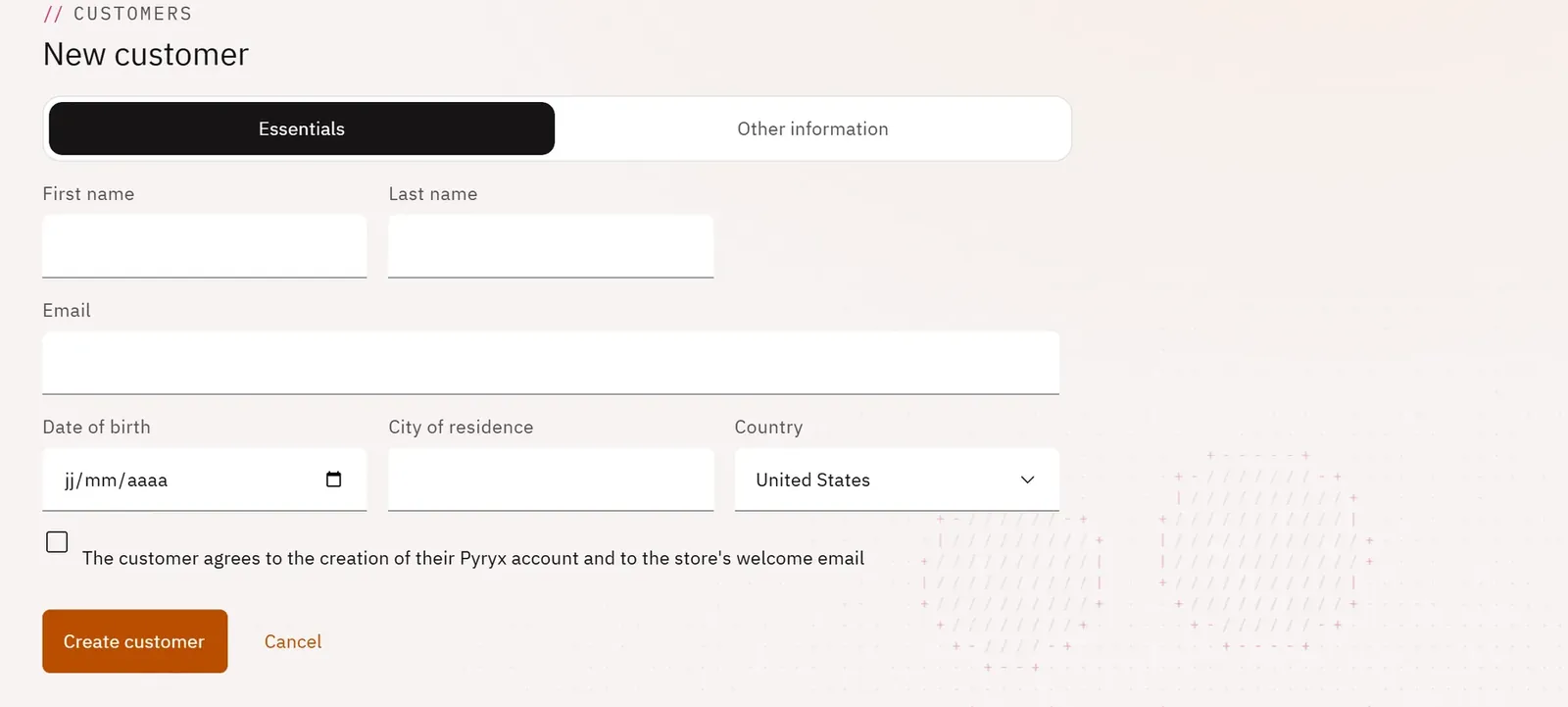
You register at the counter a customer who does not have an account yet: their record, their Pyryx account and the shop’s welcome email are created in a single step. Your shop becomes their sponsor.
 1234
- 1The essentials
- 2The other information
- 3The customer’s consent
- 4Create the customer
What you can do
- Enter the essentials: first name, last name, email, date of birth, town of residence, country.
- Add if needed: phone, address, postcode, email language, notes.
- Obtain the customer’s consent to the creation of their account and to the welcome email.
Step by step
- In Customers, click New customer.
- Fill in the Essentials tab.
- Tick the customer’s consent, in front of them.
- Click Create customer.