
Notifications
My notifications
pro.pyryx.com/notificationsSee this screen in the demo
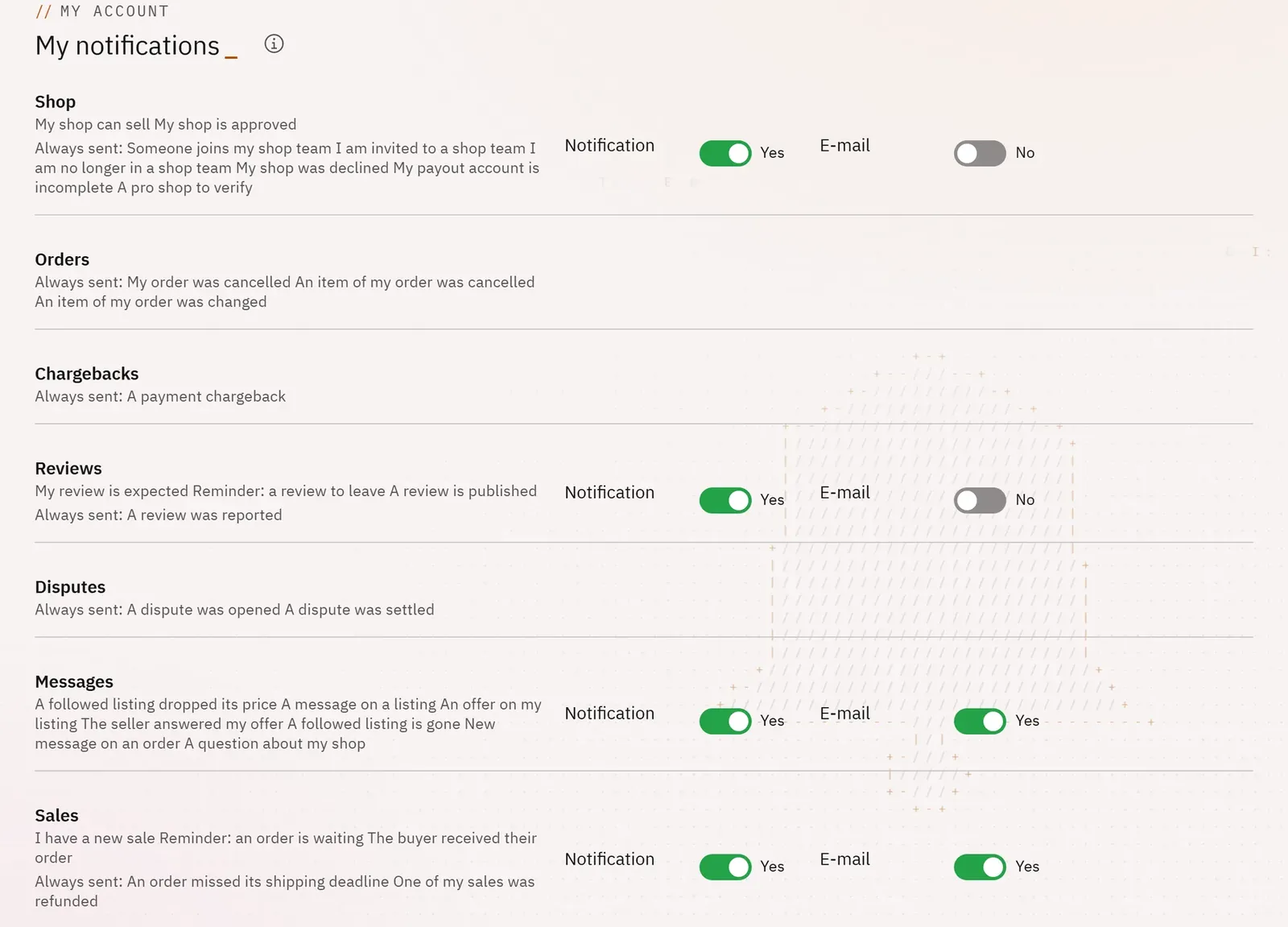
You choose what you receive about your shop, by email and in the app, family by family. You keep what matters without being overwhelmed.
 123
- 1A notification family
- 2A switch
- 3What is always sent
What you can do
- Set, for sales, orders, messages, reviews, disputes, chargebacks, payouts and the shop, the email and the notification.
- Receive everything or nothing in one click.
- See the messages that are always sent.
Step by step
- Open your account menu, at the top right, then My notifications.
- Turn a family’s switch on or off, for the email or for the notification.