
Customers
A customer’s record
pro.pyryx.com/clientsSee this screen in the demo
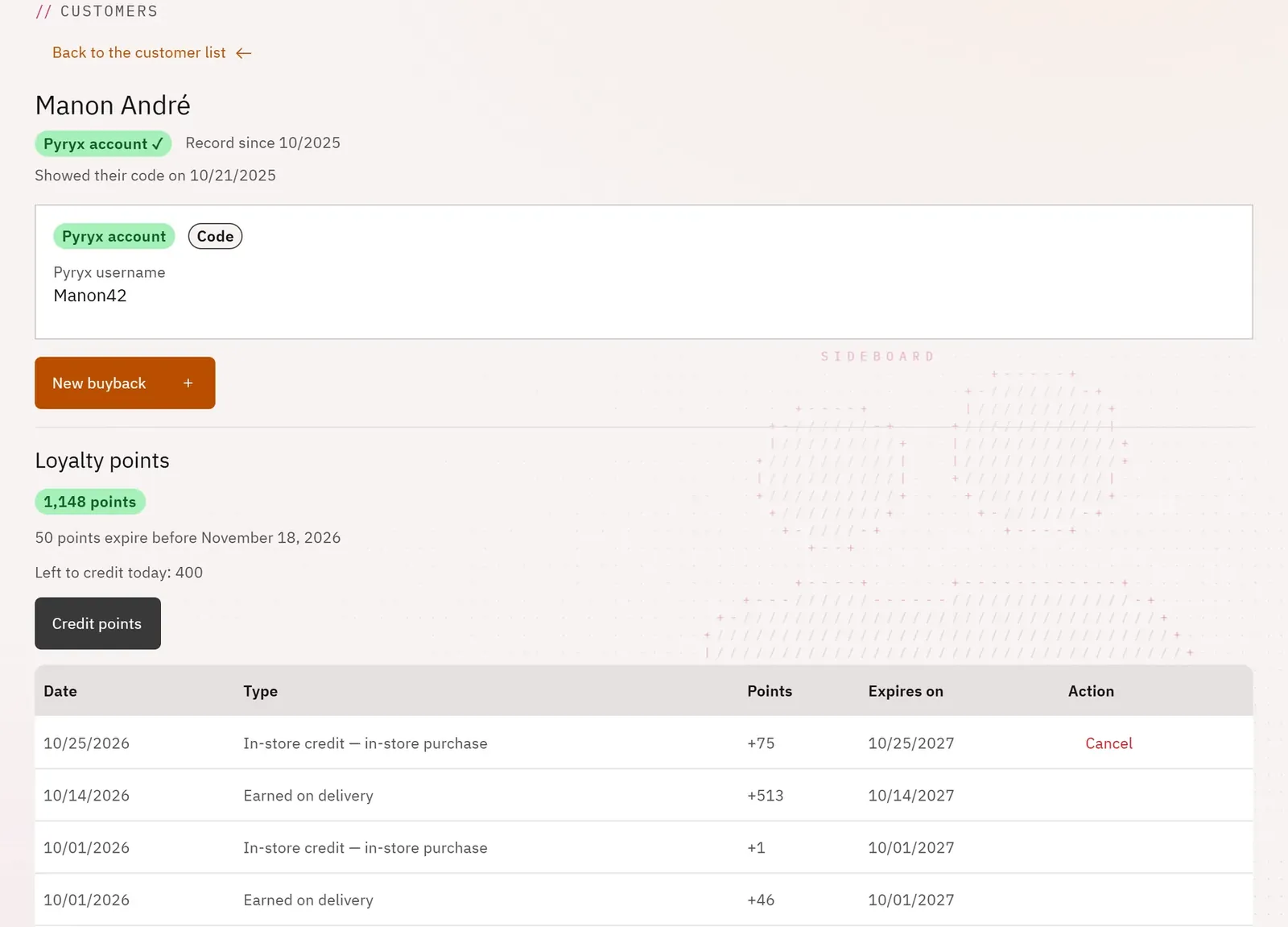
You have in front of you what the shop knows about the customer and their history with you: buybacks, orders, vouchers, loyalty points. You keep notes there and you credit their points.
 12
- 1The identity and the Pyryx account
- 2Credit points
What you can do
- See the identity entered in store, the status of their Pyryx account and the origin of their consent.
- Edit the record, resend the welcome email, create the Pyryx account of an old counter record.
- See their points balance, what expires soon, what can still be credited today and the points history.
- Credit points with a reason: in-store purchase, event, buyback, goodwill gesture, welcome, attendance, referral.
- Look up their buybacks, their orders and their vouchers in the shop.
- Write notes, start a new buyback, delete the record.
Step by step
- Open the customer’s record.
- Click Credit points.
- Enter the Points to credit, choose the Reason, then Credit.
- Add a note in Notes about this customer, then Save.