
Buyback counter
The customer’s signature
pro.pyryx.com/comptoir/fiche/nouvelleSee this screen in the demo
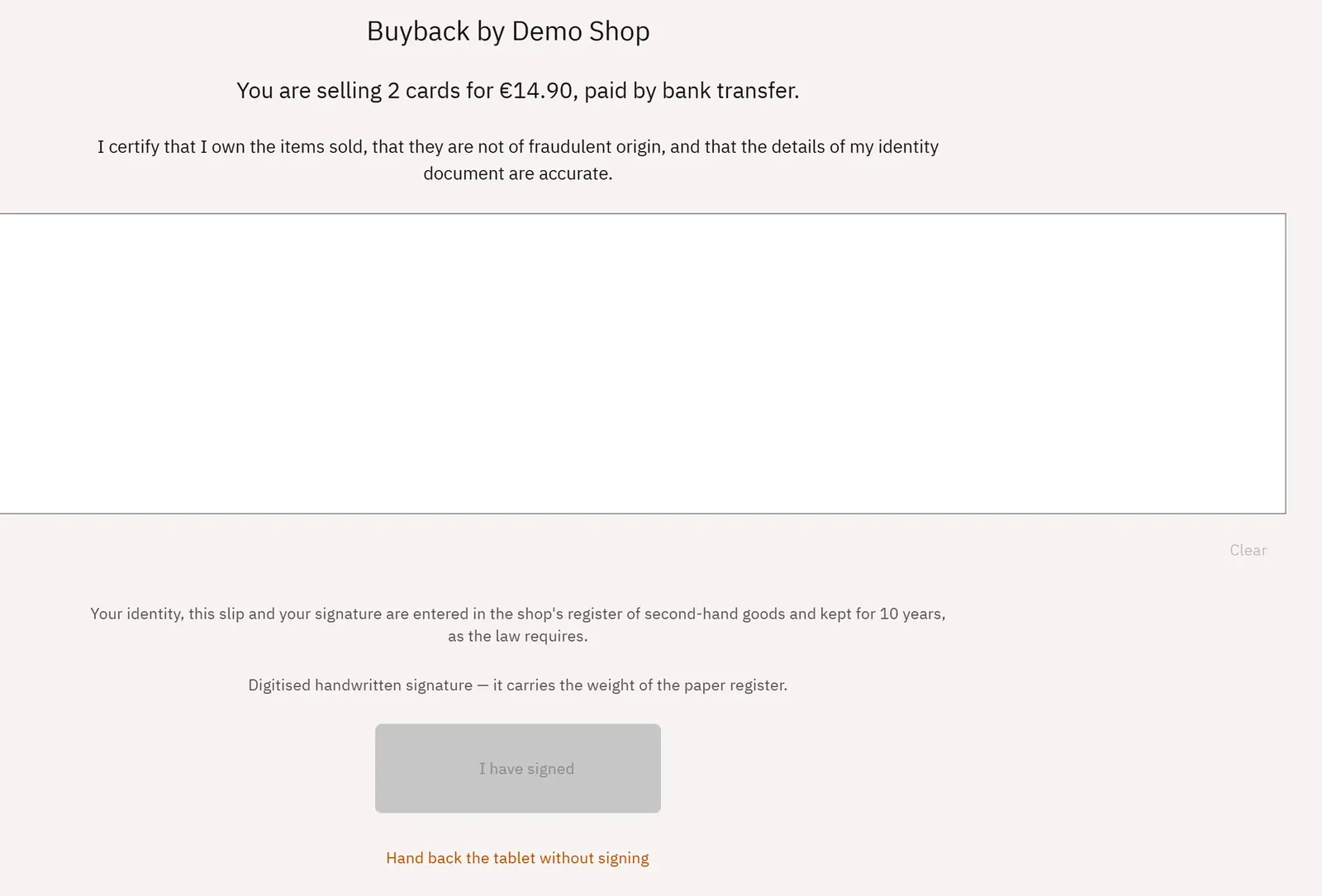
The tablet turns towards the seller: they see only what they are handing over, what they receive and how, then they sign with a finger. Their signature makes the slip a record in the register.
 123
- 1What the customer hands over and receives
- 2The certification statement
- 3Confirm the signature
What you can do
- A screen reserved for the customer, with no menu or slip underneath.
- The summary: “You are selling N cards for €X, paid by …”.
- The statement “I certify that I own the items sold…” and the notice that the register is kept for 10 years.
- The signature area, I have signed or Hand back the tablet without signing.
- Take back the tablet, protected by the employee’s PIN code if they have one.
Step by step
- The customer reads the summary and the certification statement.
- They sign with a finger in the area, then tap I have signed.
- The employee taps Take back the tablet and types their PIN code if the screen asks for it.