
Loyalty
Campaigns
pro.pyryx.com/fidelite/animationsSee this screen in the demo
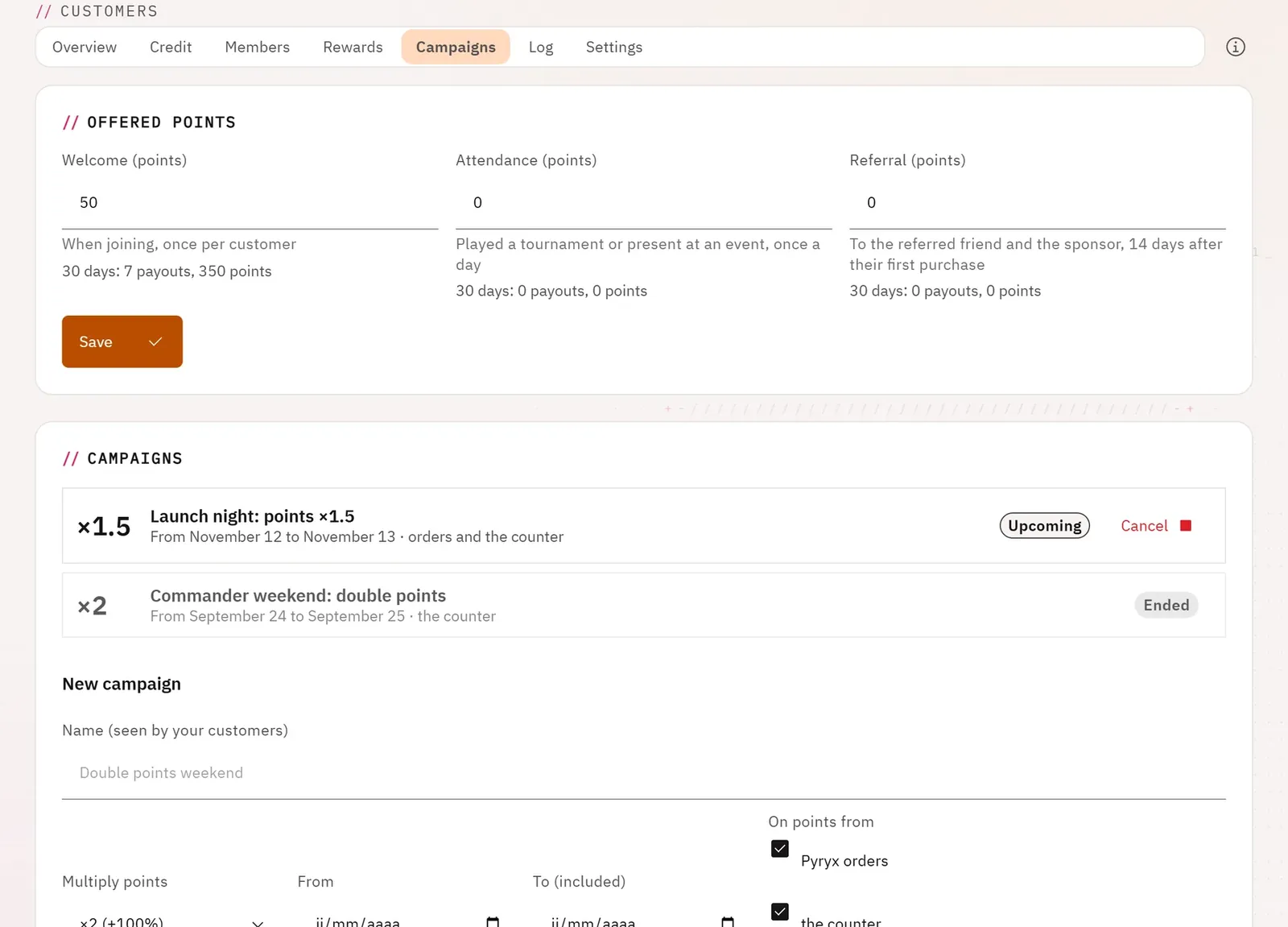
You bring your customers in and bring them back: welcome points, attendance points for tournaments and events, referral points, and “points ×2” campaigns over a few days.
 12
- 1The points on offer
- 2A campaign
What you can do
- Give points on joining (once per customer), for attending a tournament or an event (once per day), for referrals (to the referred customer and to the sponsor).
- See what each offer has paid out over 30 days.
- Create a campaign with a name your customers see, a points multiplier (from ×1.25 to ×3), dates, on Pyryx orders, the counter, or both.
- Stop the current campaign or cancel the upcoming one.
Step by step
- Open the Campaigns tab.
- Enter the points in Welcome (points), then Save.
- Click New campaign: name, multiplier, dates, sources, then Create campaign.