
Stock and listings
Card preview and editing the listing
pro.pyryx.com/stockSee this screen in the demo
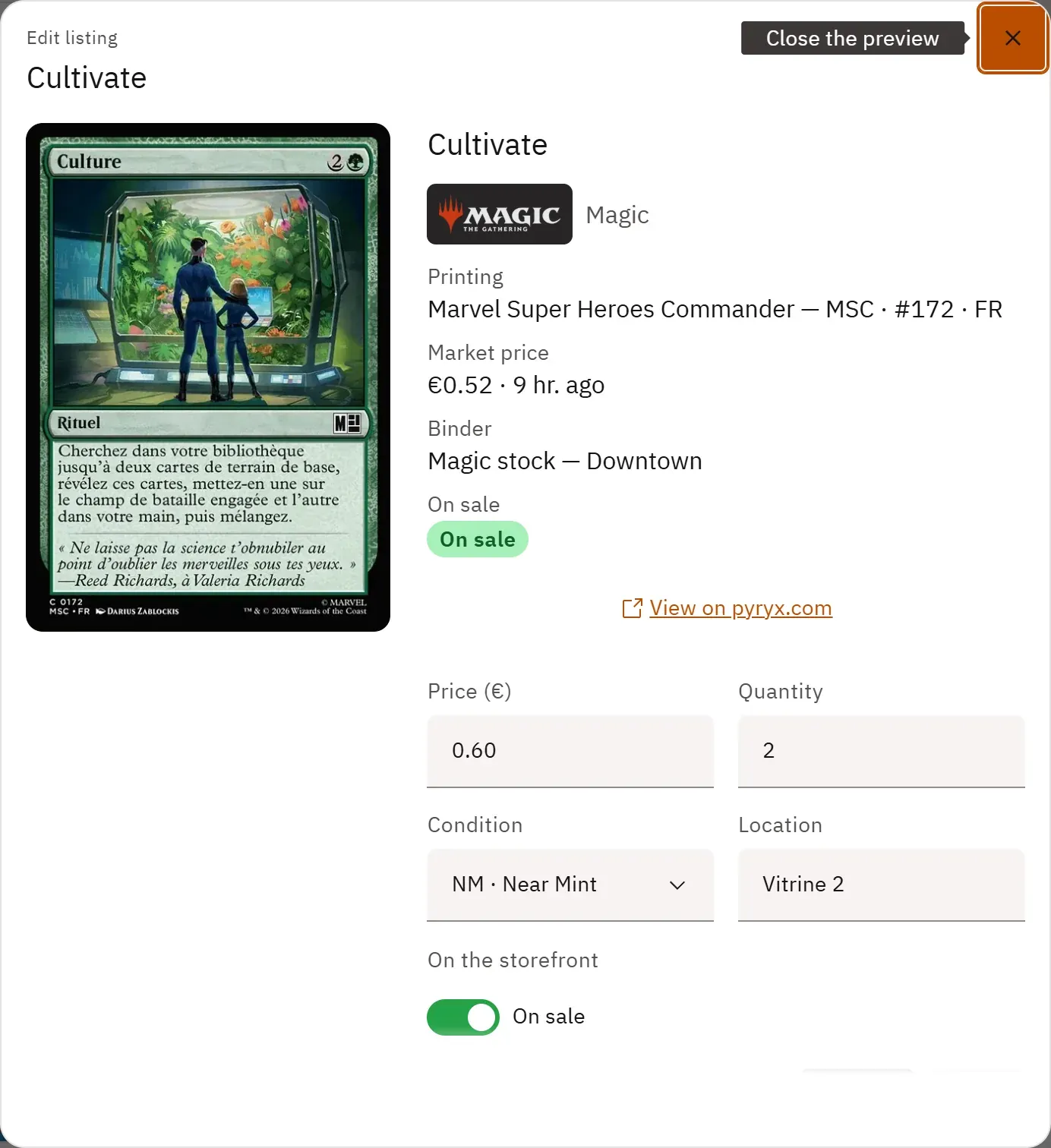
You correct a listing without leaving the grid: clicking a card’s name or image opens its preview, which holds the form. You change the price or the quantity, you save, and the row updates straight away.
 1234
- 1The card’s image and details
- 2The price
- 3The location
- 4On sale or draft
What you can do
- See the large image, the printing, the condition, the quantity, the price, the dated market price, the binder and the location.
- Edit a listing’s price, quantity, condition and location.
- Switch the listing from “On sale” to “Draft”, and back.
- Take the listing off sale, after confirmation.
- Open the card’s public page on pyryx.com.
- For a binder card not yet on sale: a Put on sale button leads to listing its binder, or to the new listing.
Step by step
- In the grid, click a card’s name or image.
- Change Price (€) or Quantity.
- Click Save: the grid row is up to date.
- To stop selling: Remove from sale (at the bottom of the form), then confirm with Remove.