
Customers
Referrals
pro.pyryx.com/clients/parrainageSee this screen in the demo
Your customer base grows on its own: everyone who signs up through your link or your QR code joins your customer list. You have all the material to spread it: poster, ready-to-send messages, badges.
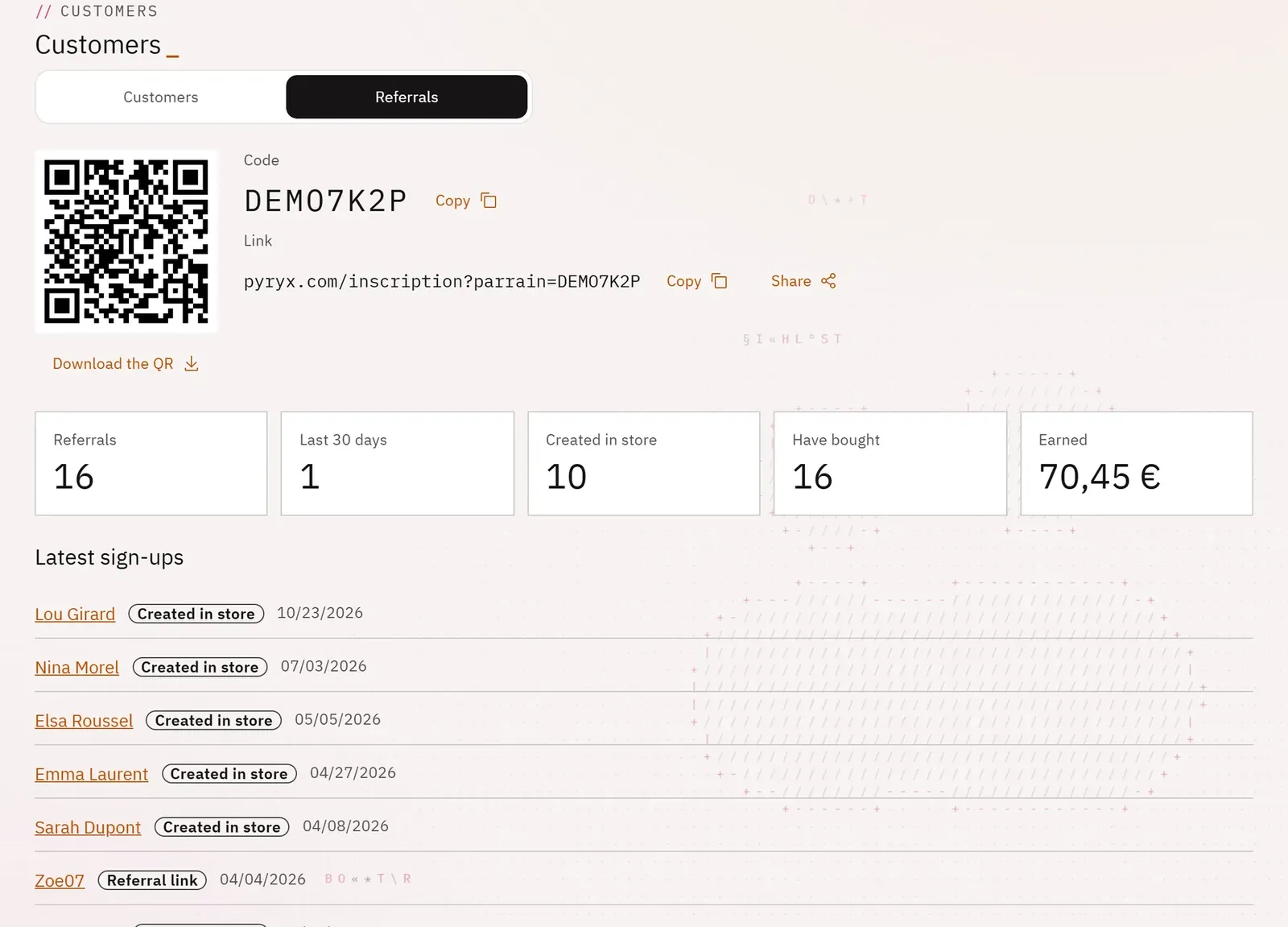 123
- 1The QR code
- 2The code and the link
- 3The referral figures
What you can do
- Copy or share the referral code and link; download the QR code.
- Follow your referrals: total, last 30 days, created in store, those who have bought, what referrals have earned.
- See the latest sign-ups.
- Print the counter poster in A4 or A5.
- Copy ready-to-send messages for SMS or WhatsApp, for email or for social media.
- Get badges, dark or light, and their code for your website.
Step by step
- In Customers, open the Referrals tab.
- Choose the poster Format, then Print the poster.
- Copy the Social media message and post it.