
Reviews
Reviews received
pro.pyryx.com/evaluationsSee this screen in the demo
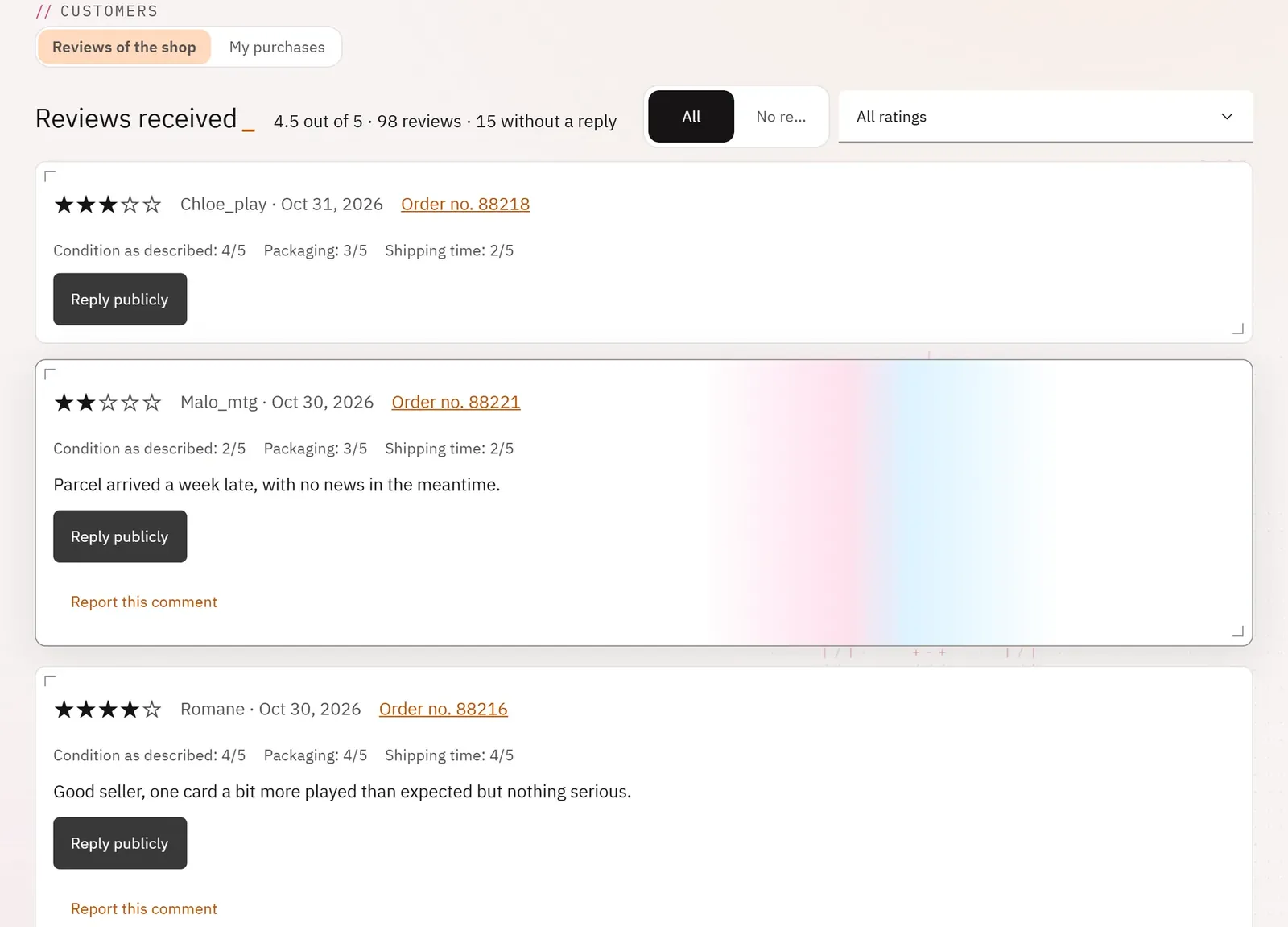
You keep track of your shop’s reputation and you reply publicly to buyers. The owner also manages here the reviews of their own purchases on Pyryx.
 1234
- 1The rating summary
- 2The reviews without a reply
- 3A review
- 4Reply publicly
What you can do
- See the average rating, the number of reviews and the number of reviews without a reply.
- Show all the reviews or those without a reply, filter by number of stars.
- Read each review: stars, criteria (condition as described, packaging, shipping time, communication, receipt confirmed), buyer, order, comment.
- Reply publicly, once per review.
- Report a comment.
- In “My purchases” (owner): rate your purchases, reply to the reviews received as a buyer, find the ones you have given.
Step by step
- Open Reviews, then No reply yet.
- Click Reply publicly under a review.
- Write your reply, Publish the reply, then confirm.