
Loyalty
The programme settings
pro.pyryx.com/fidelite/reglagesSee this screen in the demo
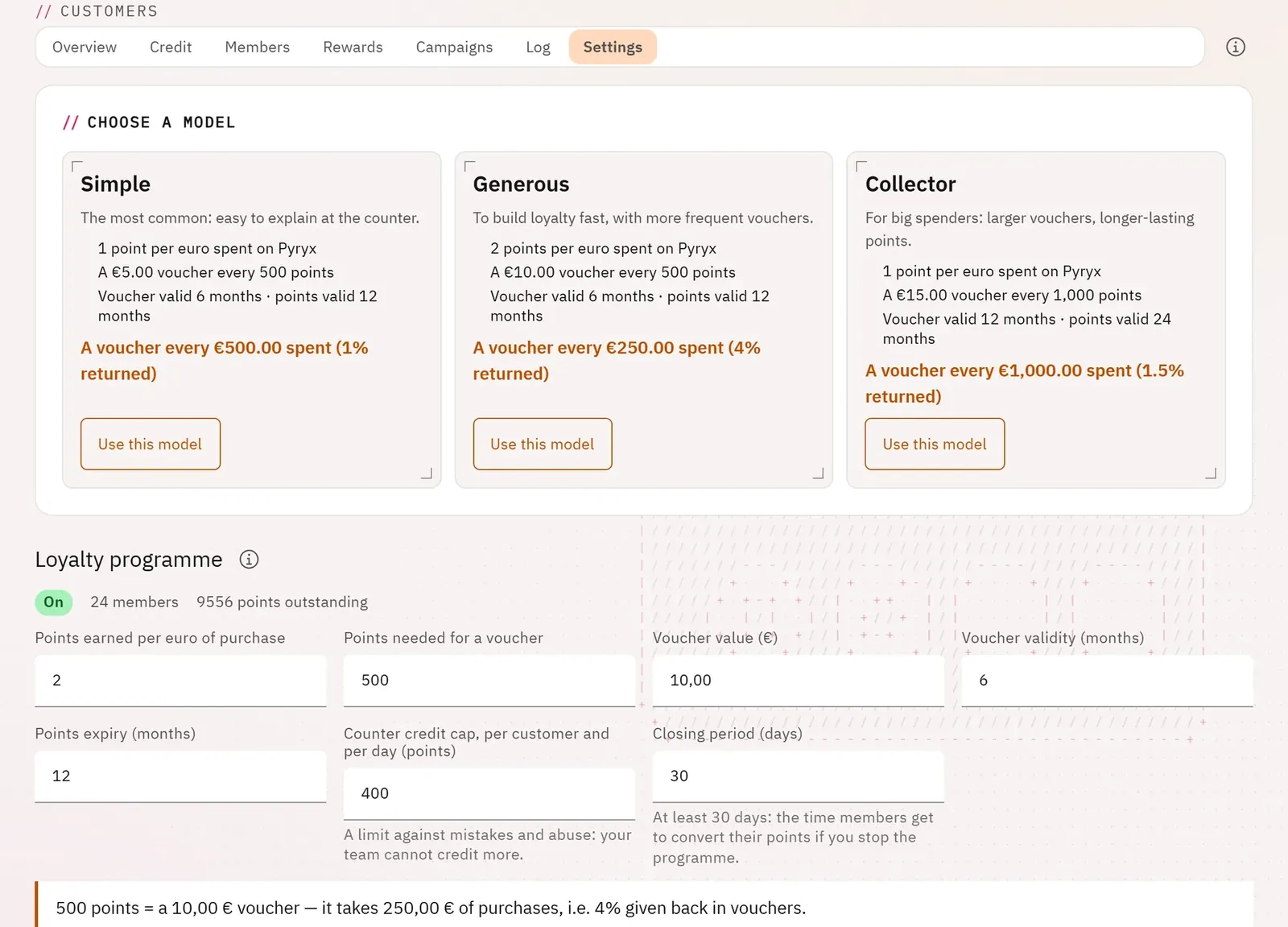
You set the programme’s rules and you immediately see what they give back to the customer: how many purchases for a voucher, and what share comes back as vouchers.
 12
- 1The models
- 2Use a model
What you can do
- Start from a model (Simple, Generous, Collector) that fills in the form.
- Set the points earned per euro, the points needed for a voucher, the voucher’s value and validity, the points expiry, the counter credit cap per customer per day, the closing period.
- Read the preview: how many purchases it takes to get a voucher, and the share given back as vouchers.
- Turn the programme on or off.
Step by step
- Open the Settings tab.
- Click Use this model on the model that suits you.
- Adjust the values, then save.