
Statistics and reports
The daily report
pro.pyryx.com/rapportsSee this screen in the demo
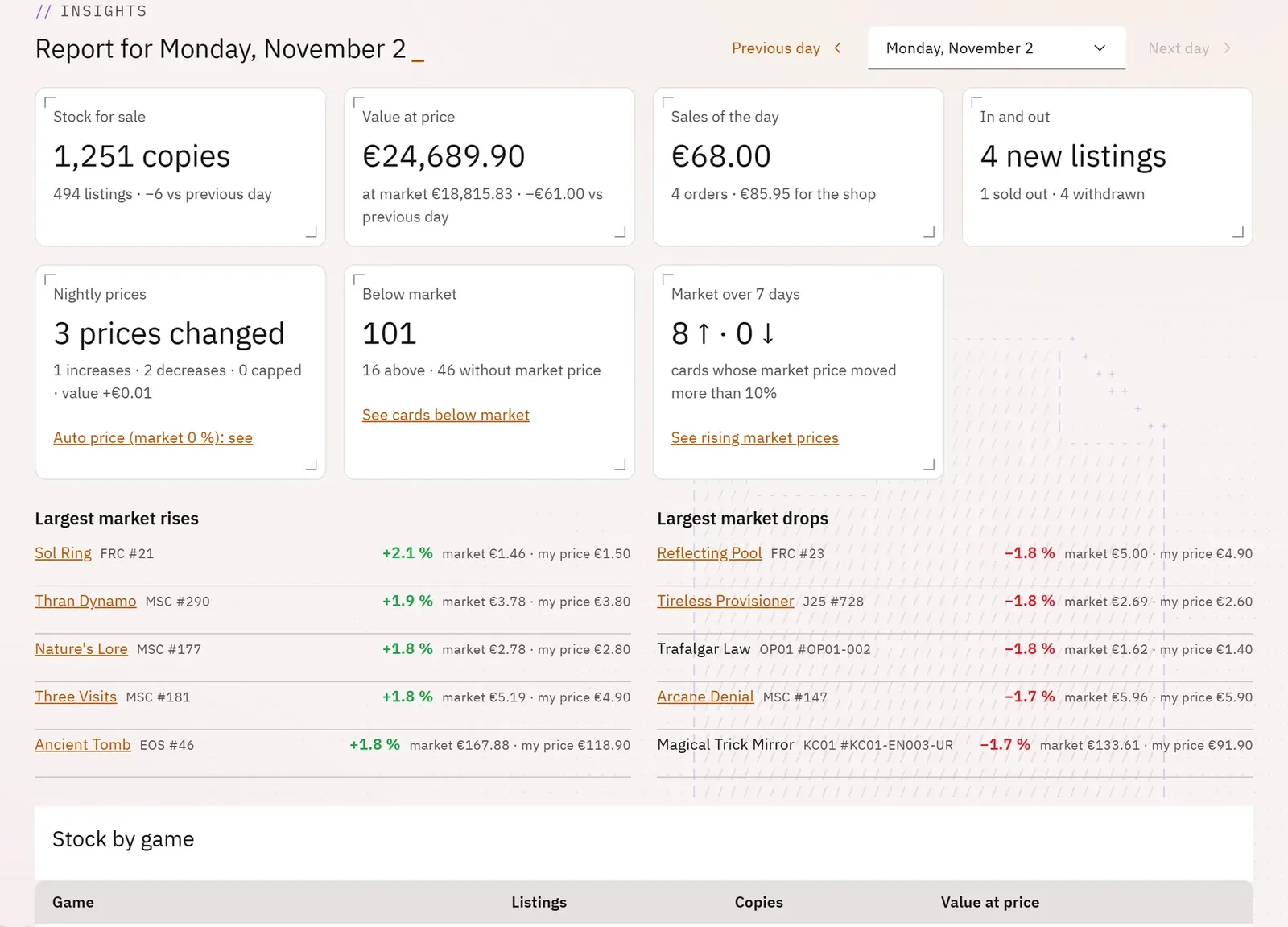
Every morning, a report frozen overnight: the value of your stock, the previous day’s sales and what moved in prices. Each figure leads to the screen where you can act.
 1234
- 1Go to the previous day
- 2Stock for sale
- 3Overnight prices
- 4Cards below market price
What you can do
- The tiles: stock for sale, value at listed price, the day’s sales, items in and out, overnight prices, cards below market price, market prices that moved over 7 days.
- The change from the previous day for each figure.
- The biggest market price rises and falls, and stock by game.
- Shortcuts: See cards below market, Turn on auto price, See rising market prices.
Step by step
- Open Reports: today’s report appears.
- Tap Previous day or Next day to compare, or Choose the day.
- Tap See cards below market to adjust your prices.