
Customers
Customers and reading a code
pro.pyryx.com/clientsSee this screen in the demo
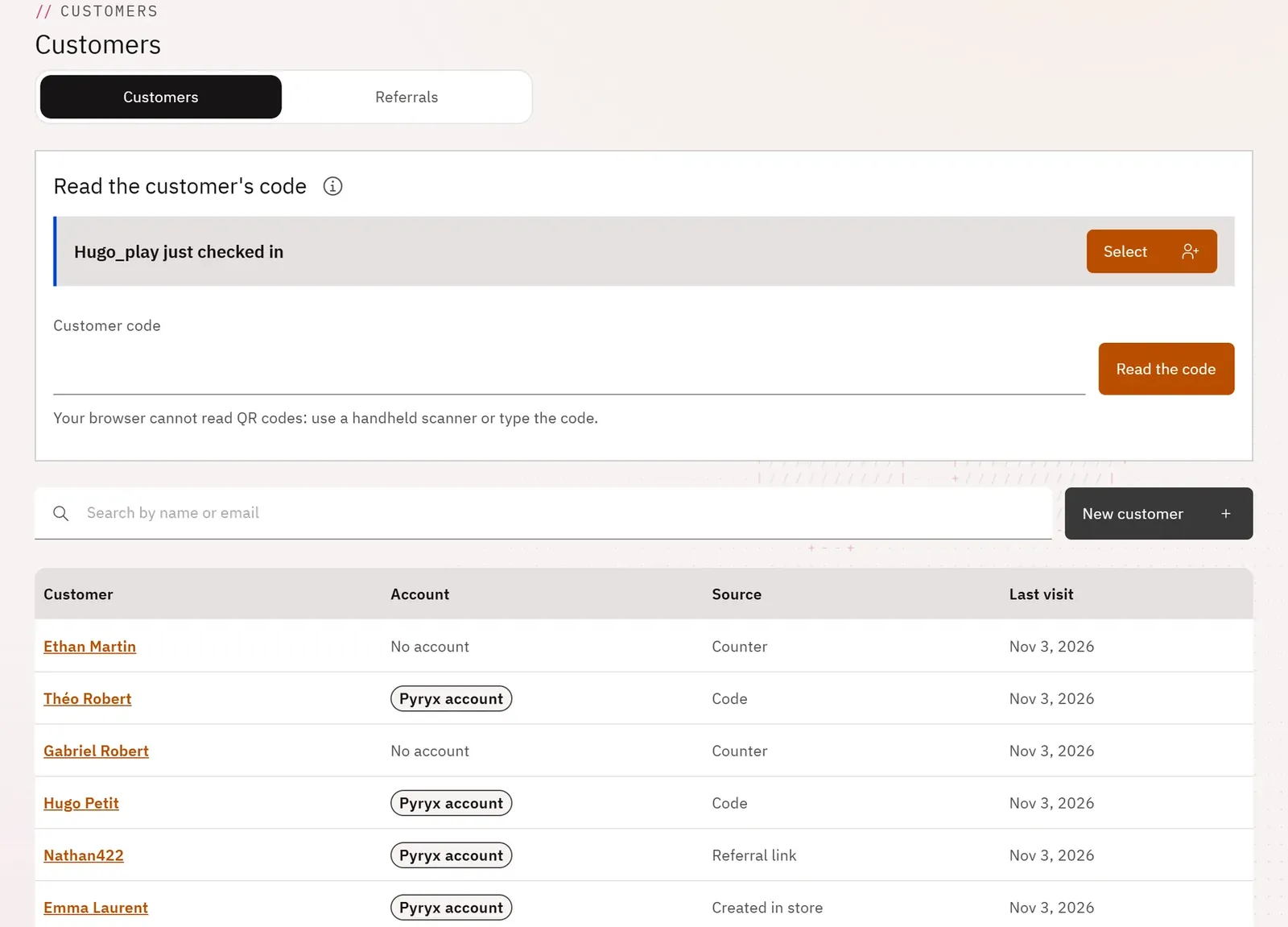
You find a customer in a few seconds at the counter, using the code they display in their Pyryx account, or by name. Customers who sign up through your referral link join the list on their own.
 1234
- 1Read the customer’s code
- 2Search by name or email
- 3Where each record comes from
- 4New customer
What you can do
- Read the customer’s code with the handheld scanner, the keyboard or the camera.
- Search for a customer by name or by email.
- See for each customer whether they have a Pyryx account, their last visit and where their record came from (code, counter, created in store, referral link, counter QR).
- Create a new customer.
Step by step
- The customer displays their code in their Pyryx account.
- Scan the code with the handheld scanner (the field is already ready) or type its eight characters, then Read the code.
- Their record opens.