
Sell
Stock and listings
All the shop’s stock, cards and products, in one place, listed for sale on pyryx.com in a few clicks.
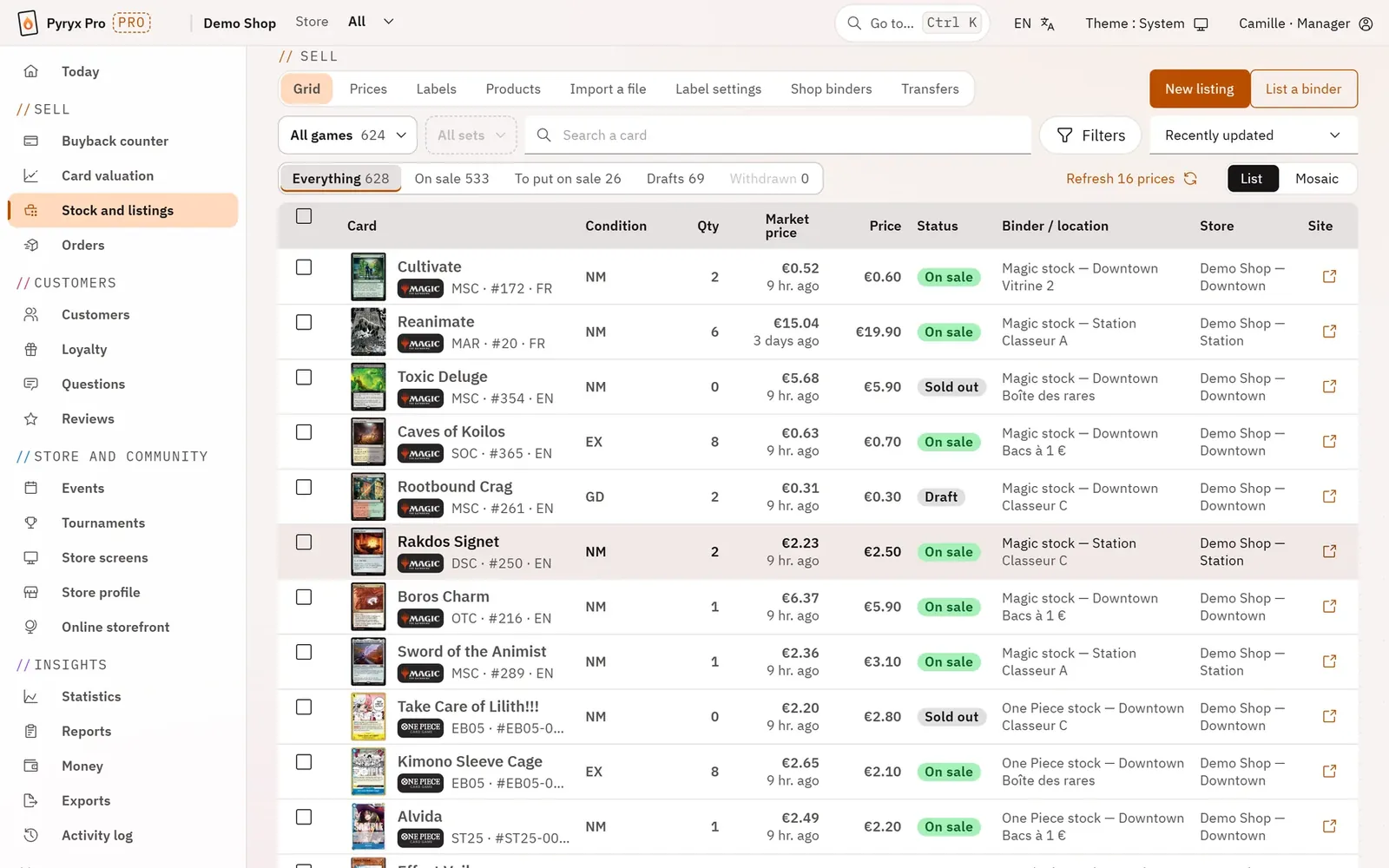
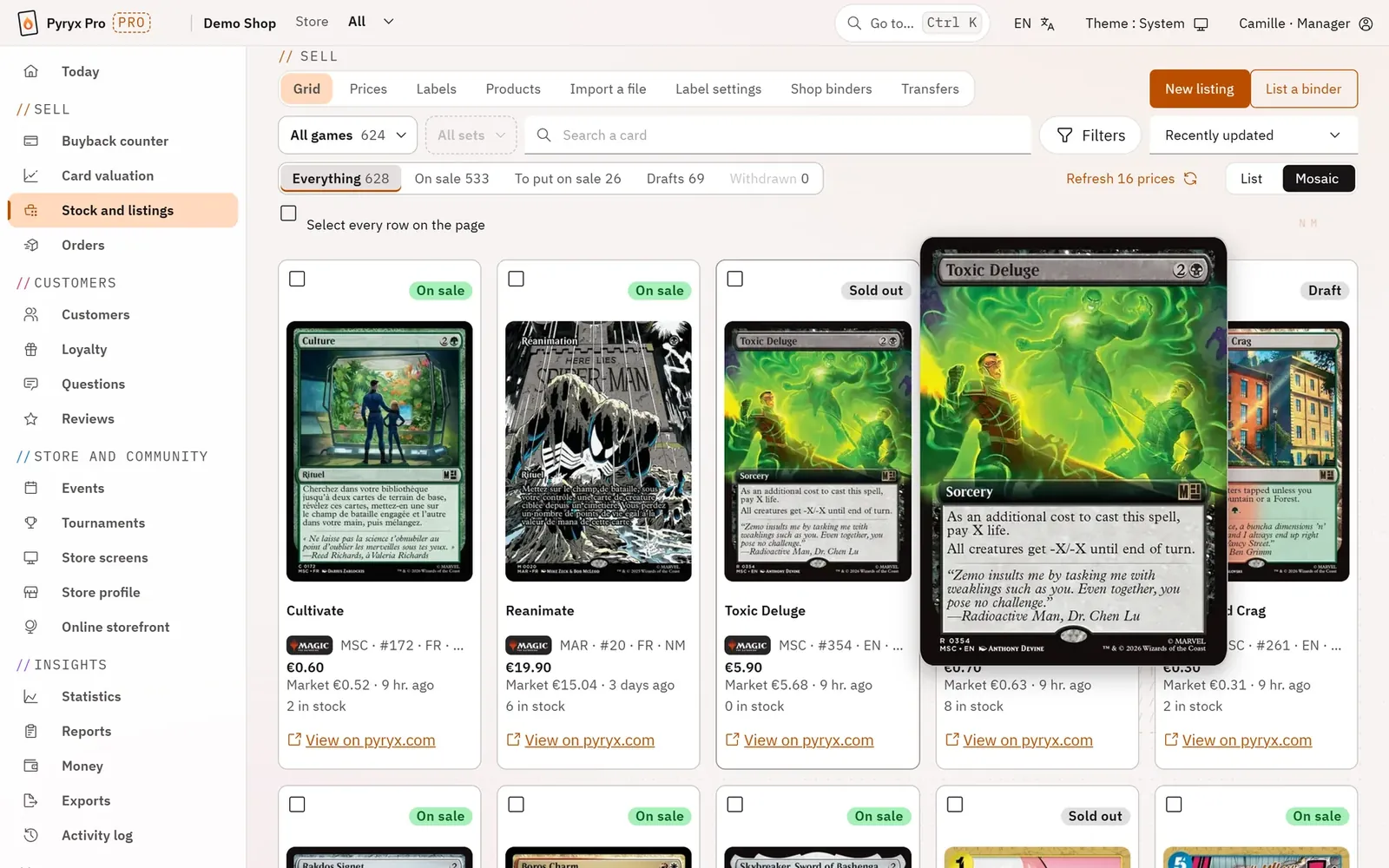
The stock grid shows each card with its condition, quantity, market price, price, status and location (binder, display case, box) in each store. Filters, a mosaic view and actions on a selection let you handle hundreds of lines at once.
Prices keep themselves in check: Pro flags cards listed below their market price and those whose market price has moved, and suggests automatic pricing rules. Labels print from a selection, transfers between stores are tracked with a transfer slip, and existing stock can be brought in by importing a file.
- Listings: creation, editing, history and drafts.
- Shop binders, and “List a binder” in one go.
- Sealed products and accessories, with photos.
- Automatic prices, prices applied to a selection, market price tracking.
- Adjustable labels, printed from the grid.
- Transfers between stores, with a transfer slip.
Step by step · Stock and listings
The stock gridOn a single screen you see your online listings and the cards in your binders that are not yet on sale, across all games, with each card’s market price and its date. You tick rows, then act on the whole selection instead of going through the cards one by one.Card preview and editing the listingYou correct a listing without leaving the grid: clicking a card’s name or image opens its preview, which holds the form. You change the price or the quantity, you save, and the row updates straight away.Acting on a selectionYou change the price, status, condition or language of hundreds of cards at once, or you put the stock on sale in one go. Before applying, Pyryx shows you exactly what will change and what will be left out.Price trackingYou know which cards you are selling below or above the market, and which are rising or falling. You correct them in a few actions: lock a price, unlock it, or hand it over to the auto price.The auto priceYour cards on sale that are not locked follow the market price every night, with the gap, the floor and the rounding you choose. A safeguard slows down sudden swings: you no longer have to rework your prices by hand.A new listingYou put a single card on sale by typing what you read on it, the set and the number, or its name. Pyryx suggests a price and tells you where it comes from.The shop’s bindersYou decide which binders make up the shop’s stock for sale: your team then sees their cards in the grid and can put them on sale. Each binder belongs to a store and can grow its listings on its own.List cards from a binderYou put all or part of a binder on sale, even one of several thousand cards, on a single screen. A dry run tells you before publishing which cards cannot go, and why.Products: sealed, accessories, bundlesYou sell what is not a card: displays, box sets, decks, card sleeves, bundles. A product page describes the product once, with its variants, its photos, its price and its stock.Importing a stock fileYou load into a stock binder a file exported from another selling site, or your own spreadsheet, and you can put it on sale at the file’s price. Nothing is added before you have seen the preview.LabelsYou print price labels with a QR code for your cards in the display case or in binders, in your printer’s format. The customer scans the QR code and finds the card on pyryx.com.Transfers between storesYou move cards from one store to another while keeping track of who transferred what. Each transfer is checked line by line before it leaves, and leaves a printable slip.