
Buyback counter
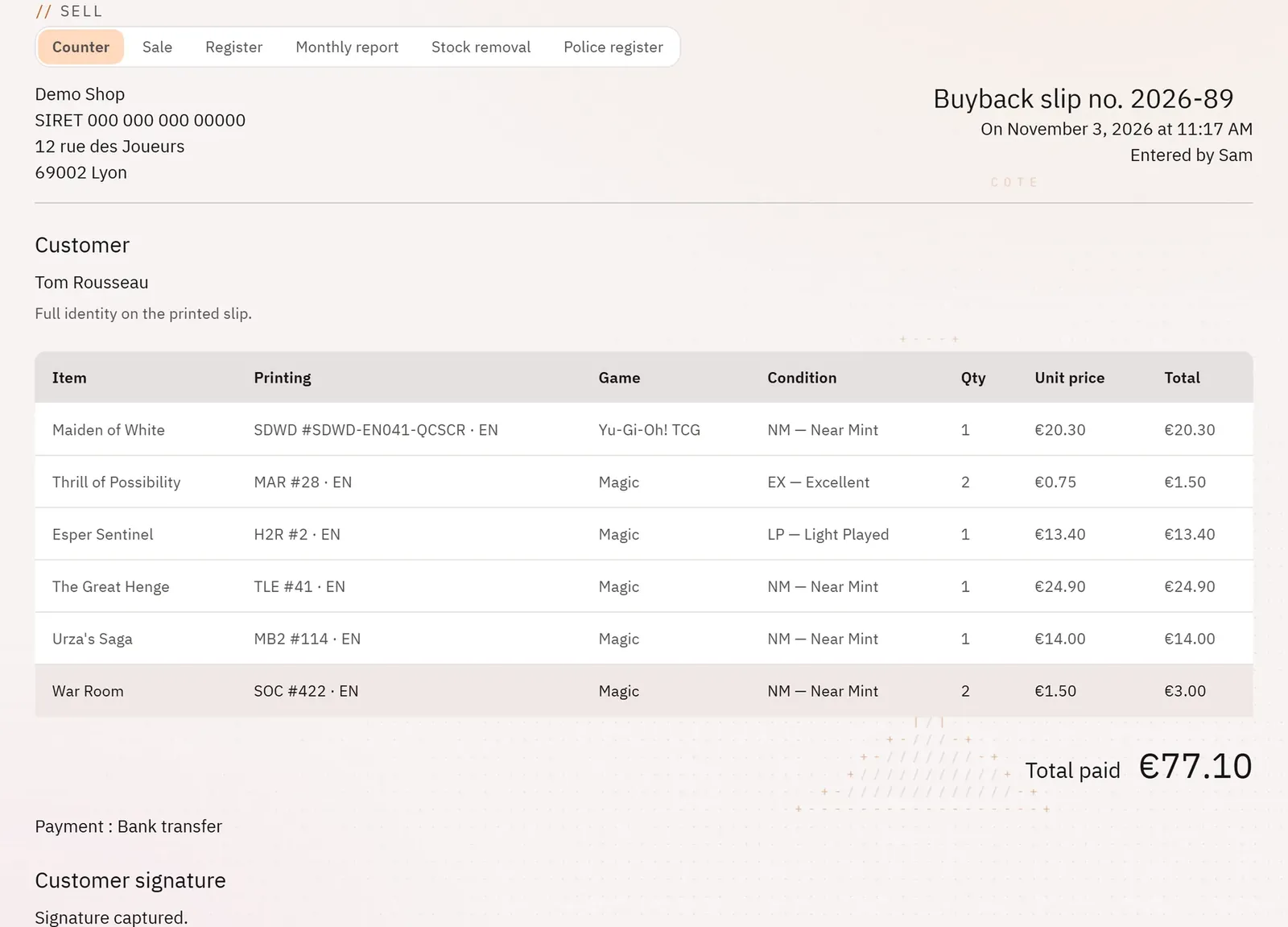
The validated buyback slip
pro.pyryx.com/comptoir/fiche/…See this screen in the demo
The register record, as an inspection will ask for it, printable in A4. It is also the only clean way to correct a mistake: the counter-slip.
 12
- 1The total paid and the payment method
- 2The seller’s signature
What you can do
- The shop’s legal header (company name, SIRET, VAT, address), the register number and the date.
- The seller’s identity, the items (printing, game, condition, quantity, price), the total paid, the payment method and the signature.
- Print in A4, or save as PDF from the print dialog.
- The photos of the batch, the store credit voucher and its balance.
- The summary: listings published, cards left out of sale or out of stock, and why.
- Cancel the slip, for the owner.
Step by step
- Open the slip from “Latest validated slips” or from the register.
- Tap Print for a paper or PDF version.
- To cancel: Cancel the slip, type the Reason (required), then Write the counter-slip.