
Tournaments
The store’s tournaments
pro.pyryx.com/tournoisSee this screen in the demo
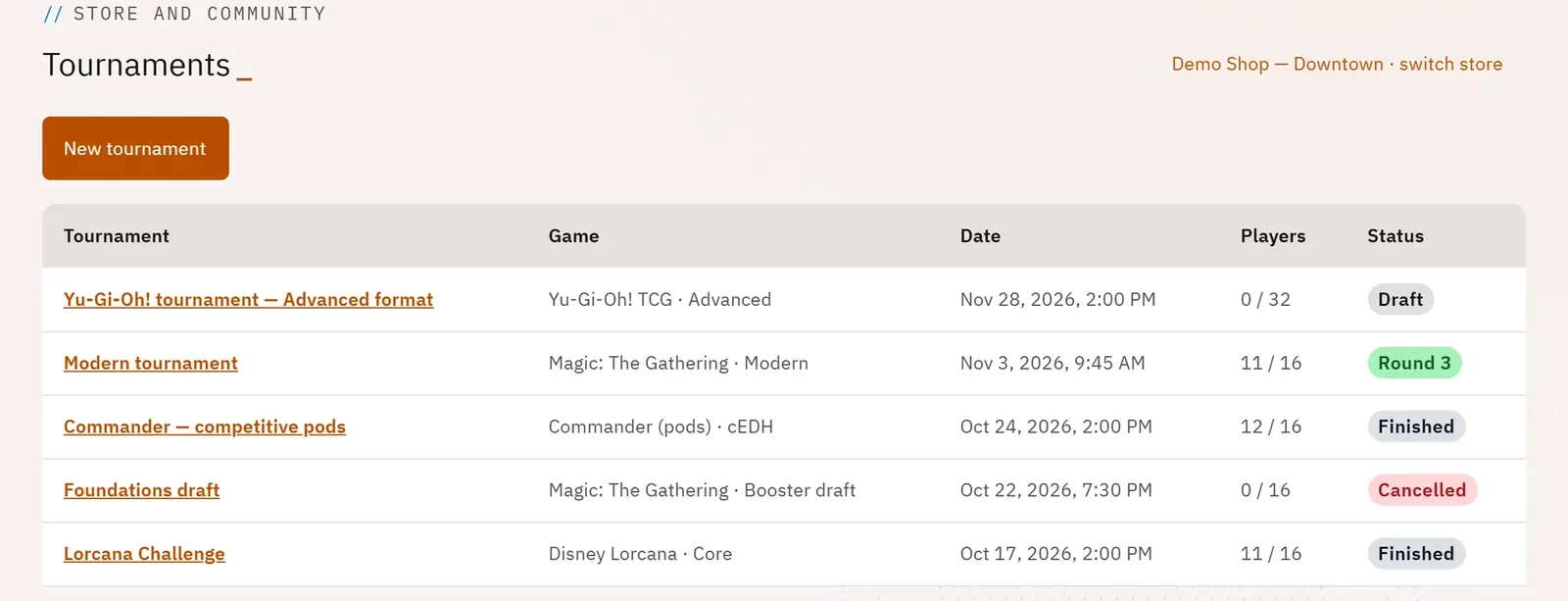
Find your tournaments in progress, upcoming and finished, and create one in seconds: the chosen game automatically sets the scoring, the match format and the official tiebreakers.
 123
- 1Create a tournament
- 2A tournament in progress
- 3Its status
What you can do
- The list of tournaments with the game, the date, the number of players and the status (draft, registration, in progress, round n, finished, cancelled).
- Ready-made settings for more than twenty games, including Magic (and Commander), Pokémon, Yu-Gi-Oh!, Lorcana, One Piece, Flesh and Blood, Star Wars: Unlimited, Riftbound, and a “house tournament”.
- Six structures: Swiss with a top cut, Swiss only, single elimination, round robin, pools then elimination, double elimination.
- The link with an event: its attendees become the tournament’s players.
Step by step
- Open Tournaments and choose your store if asked.
- Tap New tournament.
- Choose the Game: the rules summary appears (BO, round length, scoring, tiebreakers).
- Enter the Tournament name, the Structure, the Start, the Seats and, if needed, the Linked event.
- Tap Create the tournament.