
Tournaments
Players, standings and printouts
pro.pyryx.com/tournoisSee this screen in the demo
Manage players at the door, follow the live standings with the game’s official tiebreakers, and print pairings and match slips for the room.
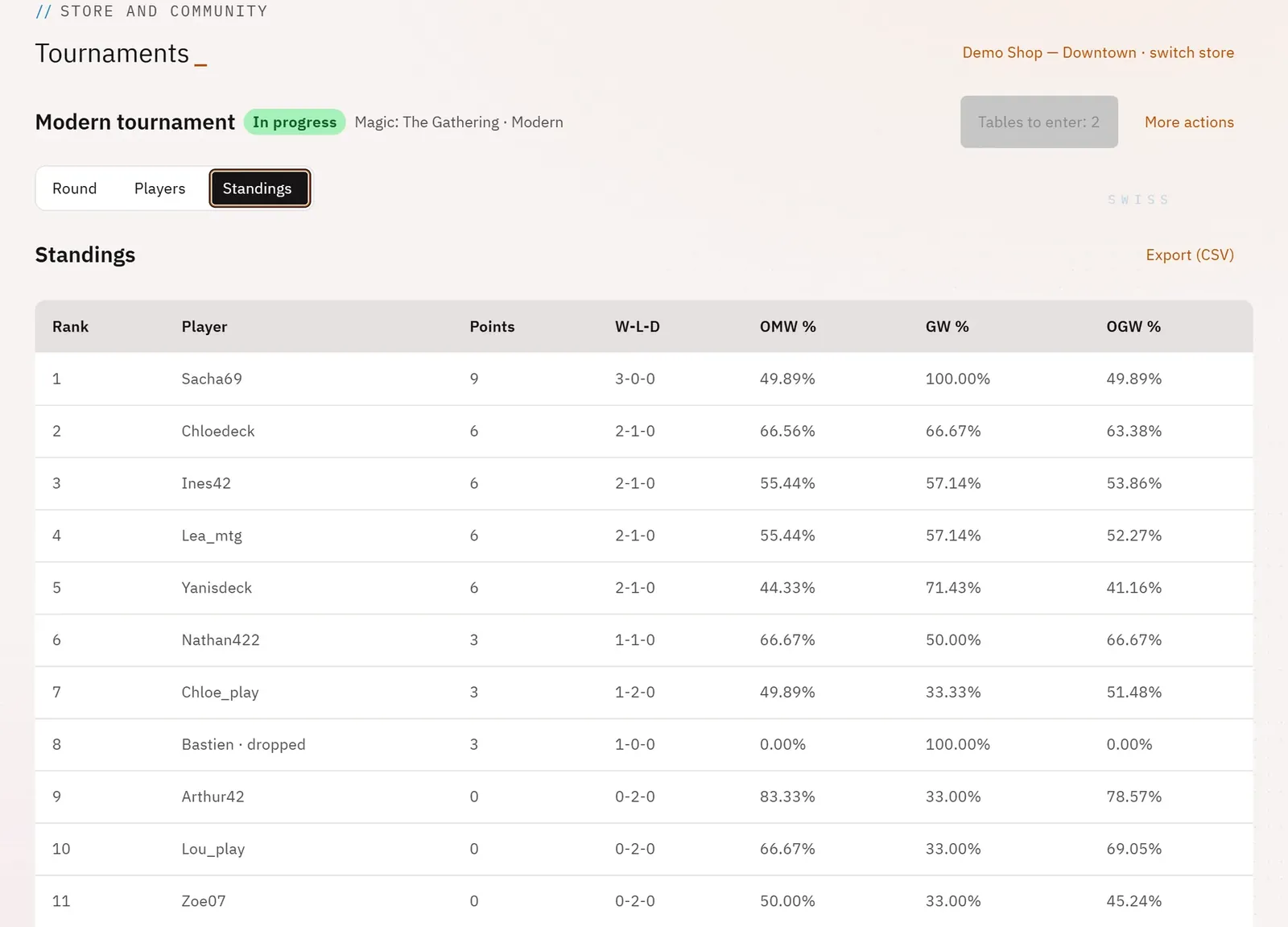 123
- 1The rank
- 2The points
- 3Exporting the standings
What you can do
- Players tab: check in those present, add a Pyryx account or a guest, import the event’s attendees, mark a drop, disqualify with a reason, grant byes.
- Standings tab: rank, points, win-loss-draw record and the game’s tiebreakers.
- Export (CSV) to keep the standings or pass them on.
- Print pairings (to post on the wall) and Print match slips (one per table, with two signatures).
Step by step
- In the tournament console, tap Players, then Check in each player who arrives.
- For a latecomer, type their username in Add a player, then Add the account or Add a guest.
- After a round, tap Standings.
- Tap Export (CSV), or open More actions then Print pairings.