
Buyback counter
Stock removal
pro.pyryx.com/comptoir/sortieSee this screen in the demo
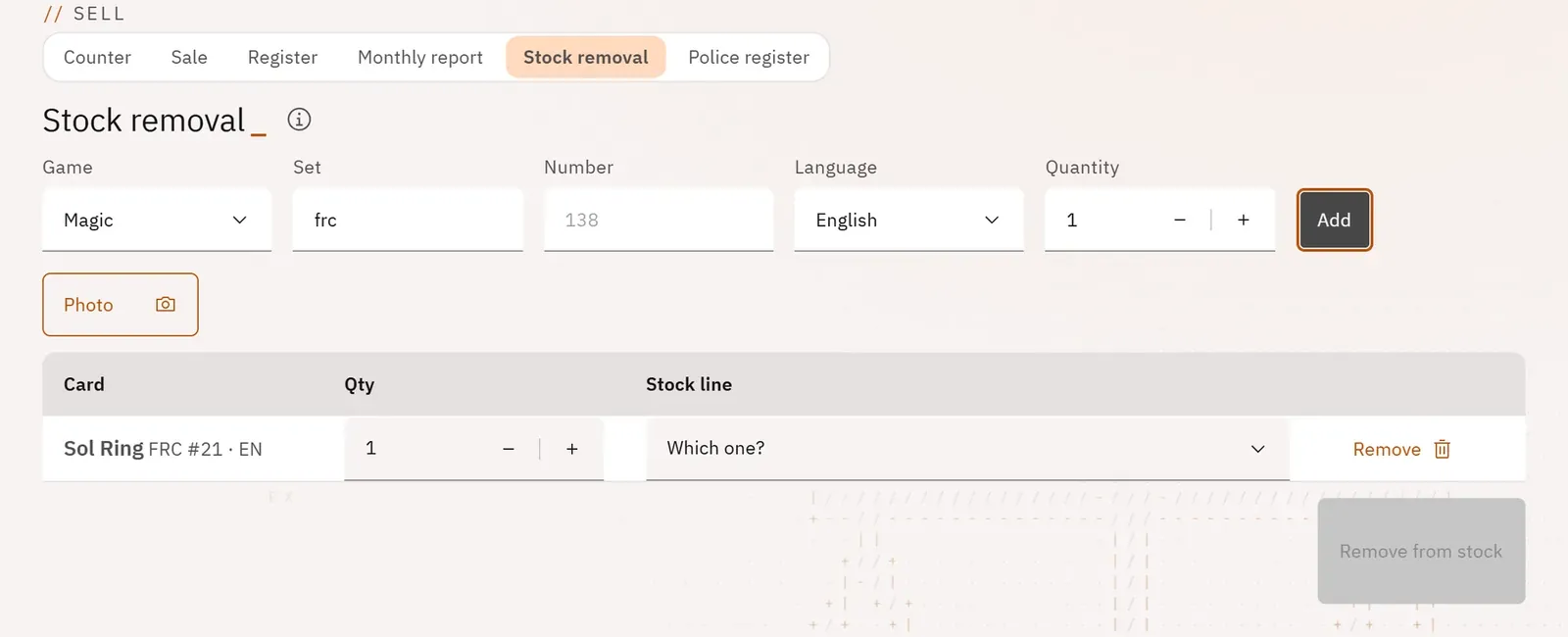
Remove from stock, and therefore from online sale, a card sold at the counter, lost, given away or used. Your online shop never sells a card that is no longer there.
 123
- 1The card’s set and number
- 2Photograph the cards
- 3Remove from stock
What you can do
- Add a card by its set and number, its language and its quantity.
- Or photograph it: each recognised card joins the list.
- The card is searched for in all your binders; if several copies could match, the screen asks “Which one?”.
- Remove from stock checks first: if a card is missing, nothing is removed and the screen says so line by line.
Step by step
- Type the Set and Number read at the bottom of the card, then Add (or tap Photo).
- Answer “Which one?” if several copies match.
- Tap Remove from stock.