
Buyback counter
The buyback register
pro.pyryx.com/comptoir/registreSee this screen in the demo
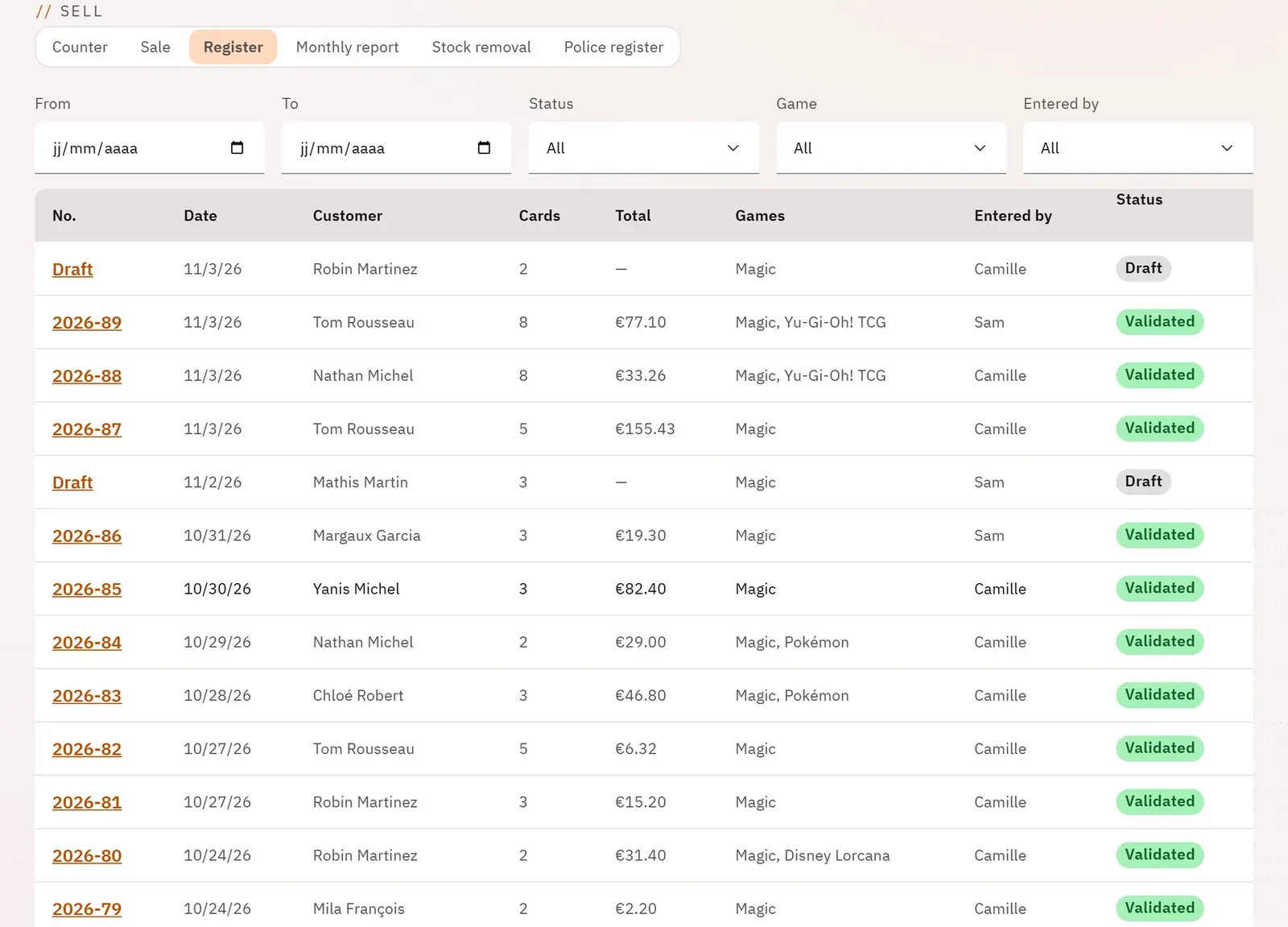
Find any slip, finished or not, by period, status, game or employee. A line opens the slip; a started slip opens so that it can be finished.
 123
- 1The period and status filters
- 2The game filter
- 3A slip in the register
What you can do
- The filters “From”, “To”, “Status” (draft, validated, cancelled, cancellation slip), “Game” and “Entered by” (owner).
- The columns: number, date, customer, cards, total, games, entered by, status.
- 25 slips per page, with the total number of slips.
Step by step
- Choose the period with From and To.
- Filter by Status or by Game if needed.
- Tap a line to open the slip.