
Tournaments
Run a tournament
pro.pyryx.com/tournoisSee this screen in the demo
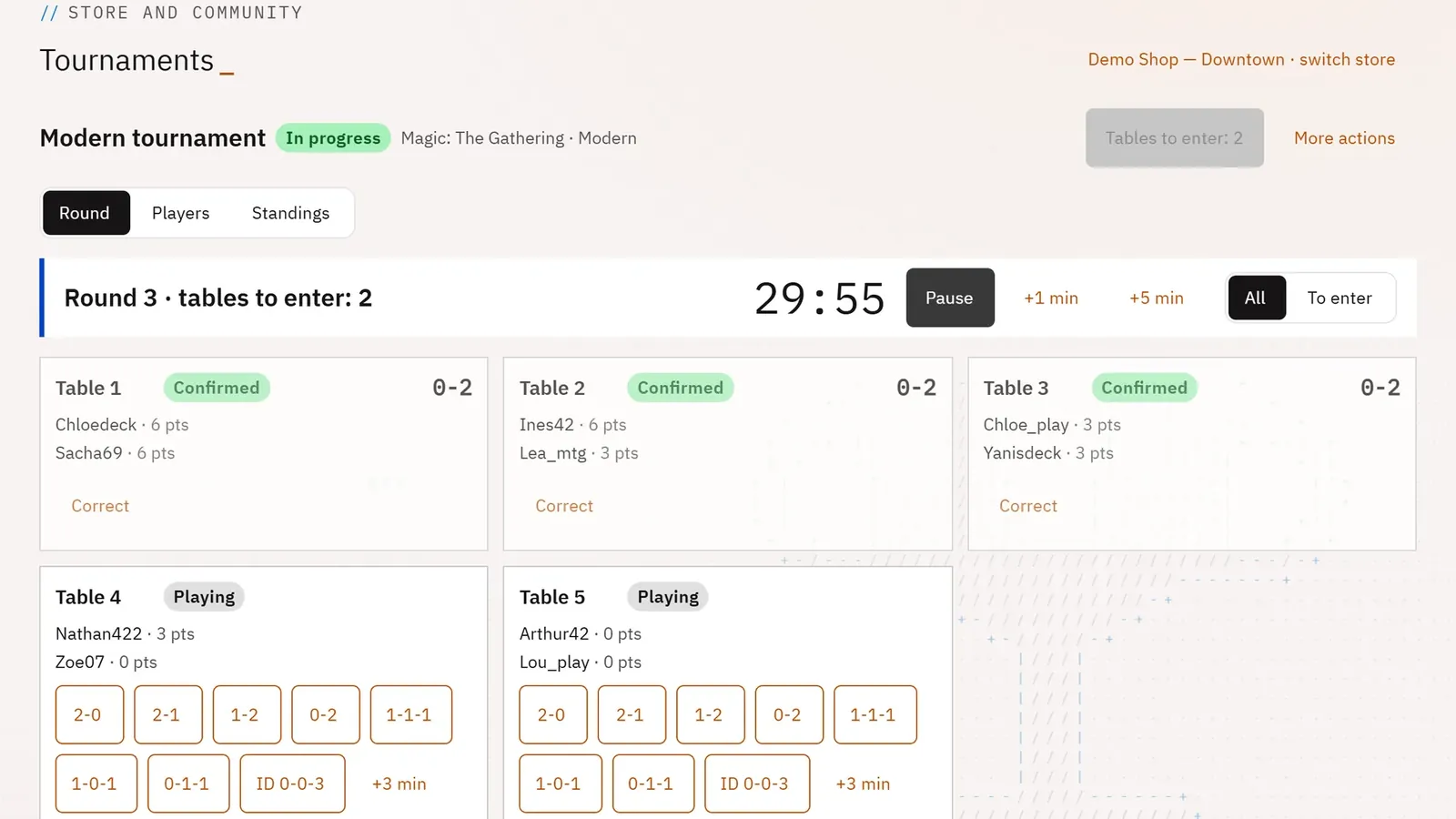
A tournament’s console guides you step by step: the main button is always the next thing to do. Pairings, timer and results are all handled from a simple tablet.
 1234
- 1The next step
- 2The round timer
- 3A table and its results
- 4More actions
What you can do
- The step button: Open registration, Start the tournament, Pair round n, Publish and start the timer, Close round n, Finish the tournament.
- The round timer: start, pause, resume, add minutes.
- One tap per table result (win, draw, double loss…); results reported by players and disputes to rule on.
- The registration QR to show players, and the tournament screen to display in the room.
- In More actions: remove a round, close registration, print, cancel the tournament.
Step by step
- In the list, tap the tournament’s name.
- Tap Open registration, then show the Registration QR: one scan is all it takes to register.
- Tap Start the tournament, then Pair round 1.
- Check the tables, then tap Publish and start the timer.
- Enter each table’s result, then Close round 1; repeat until Finish the tournament.