
Store and community
Store screens and the counter tablet
Bring the store to life on its TVs and at the counter: slideshows, announcements, the tournament in progress, and a tablet facing the customer.
Each TV in the store (Pyryx TV on Android TV, Google TV or Fire TV) connects with a code, is set up remotely and plays slideshows: products for sale with a QR code, new arrivals, opening hours, the tournament in progress, the monthly standings, video. A day-by-day schedule changes the display on its own; a quick announcement appears everywhere in one click.
The counter tablet (EDS) faces the customer: installed with a QR code, locked in kiosk mode, set up remotely. When idle, it plays the slideshow; during a buyback, it shows the customer the slip in progress.
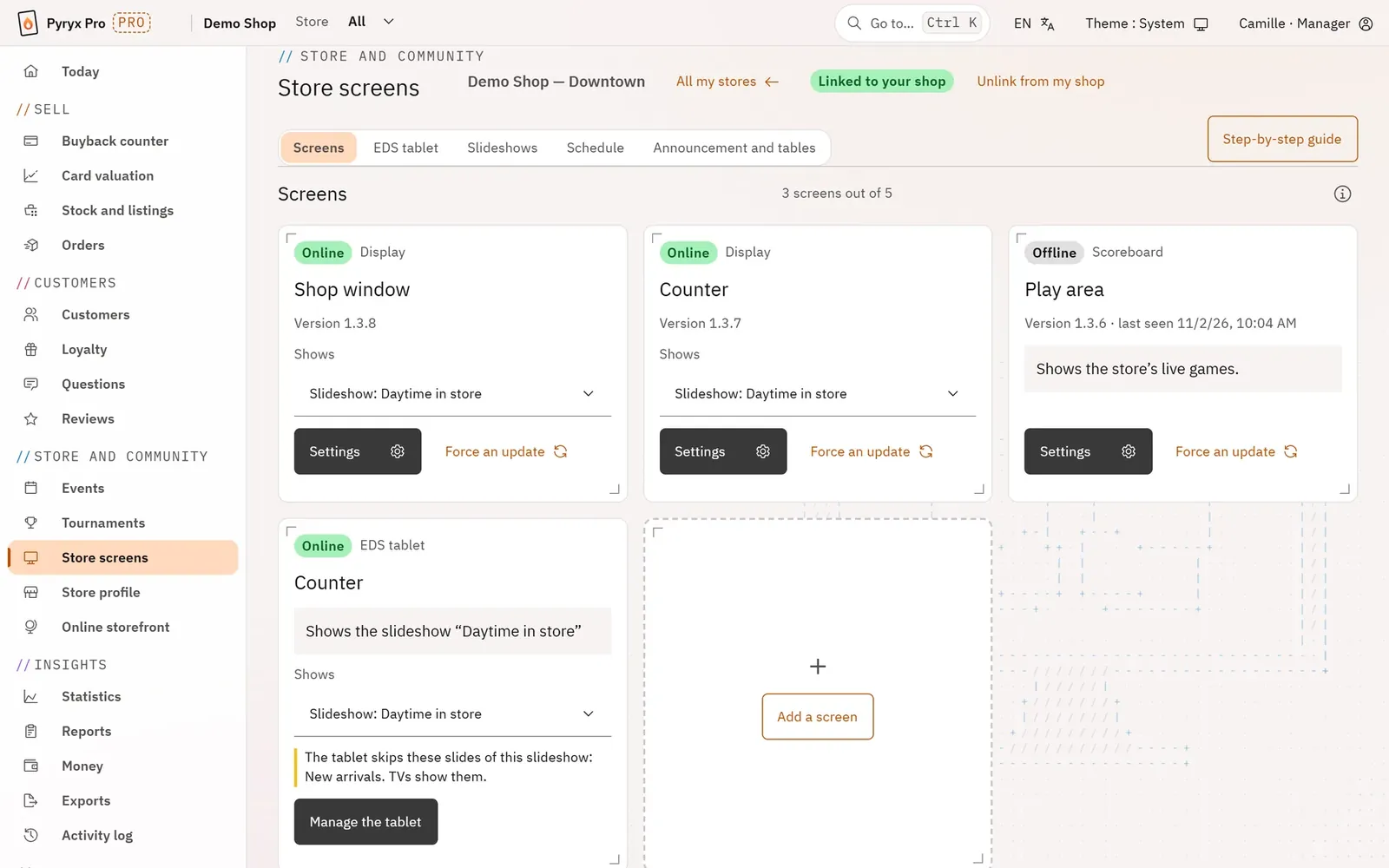
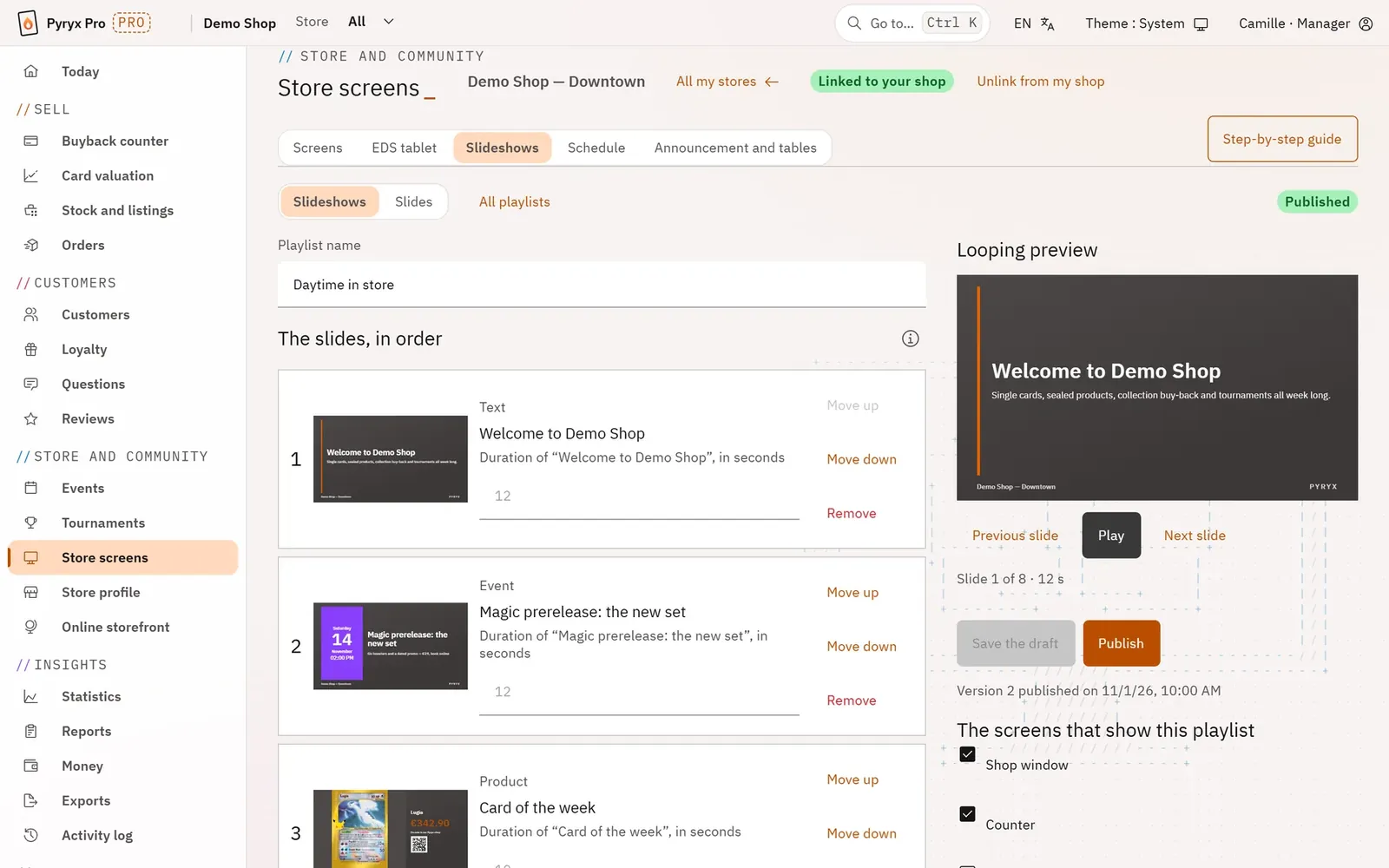
Step by step · Store screens
The store screensControl every TV in the store from Pro: you see whether each one is on and change what it shows without leaving your spot. The TVs use the Pyryx TV app (Android TV, Google TV, Fire TV).Set up a TVThe step-by-step guide connects your first TV and gets a slideshow playing on it in four steps, without knowing anything about the studio.SlideshowsPut together what your TVs show: new arrivals, promotions, opening hours, the tournament in progress. You prepare at your own pace, and nothing reaches the screens until you publish.Create a slideEach slide is set up with a preview that follows what you type, exactly in the TV’s format. A listing from your stock becomes a slide with a photo, a price and a QR code to buy it.The screen scheduleHave the display change by itself through the day: today’s slideshow, tournament night, the store logo or a black screen at closing time. The TV follows its schedule on store time, even without a connection.Quick announcement and tables on screenAn urgent message on all your TVs in ten seconds, without going through the studio. And control over the games your players put on your screens.The EDS counter tabletThe EDS tablet sits on the counter, facing your customer. When idle, it plays a slideshow; during a buyback, it shows the current slip and the customer signs their offer on it. It is set up entirely remotely.