
Counter sale
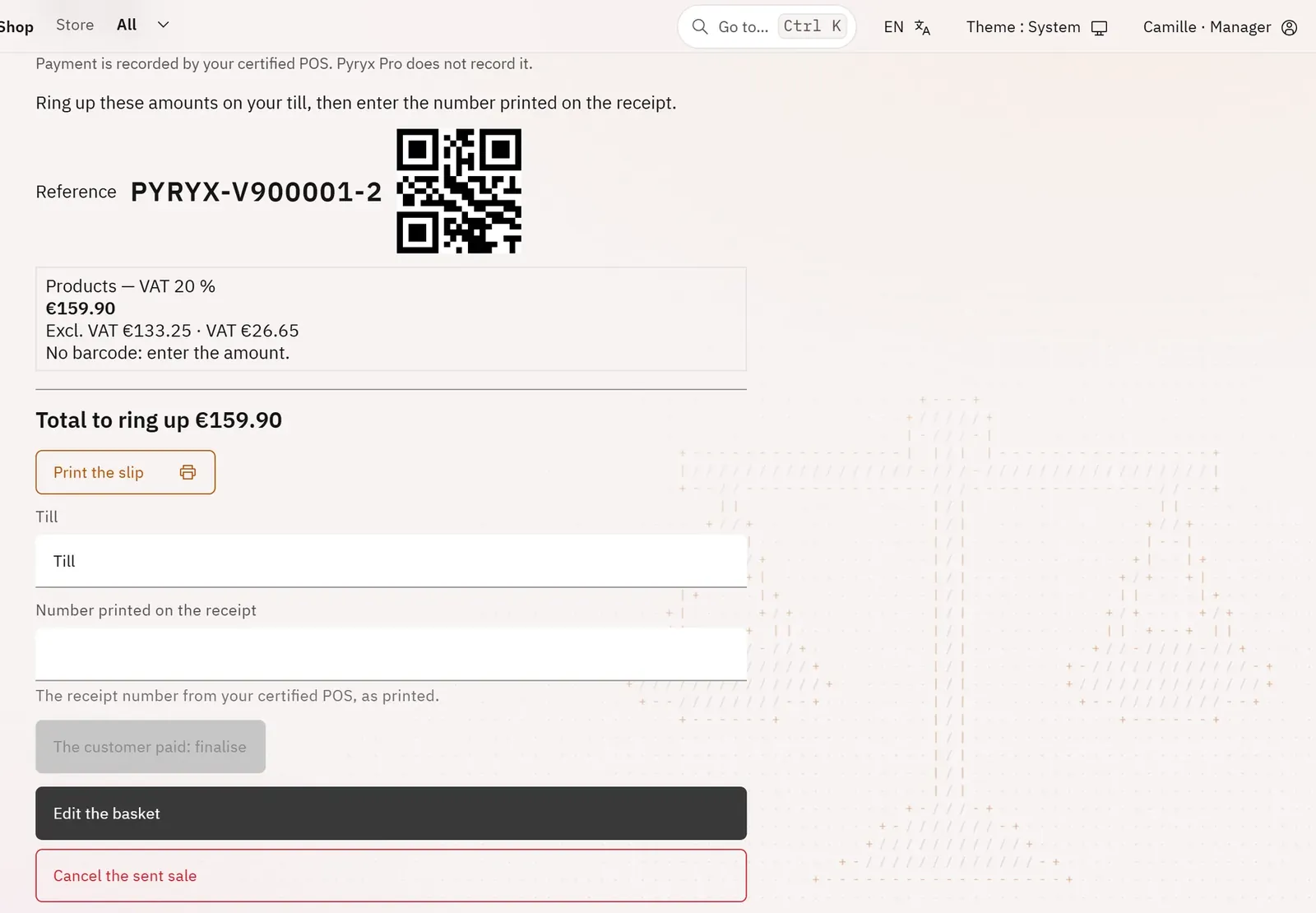
The till slip
pro.pyryx.com/comptoir/vente/…See this screen in the demo
The slip says exactly what to ring up on your certified POS, VAT group by VAT group. The receipt number then links the sale to the payment.
 123
- 1The sale reference
- 2A VAT group and its amount
- 3Finalise with the receipt number
What you can do
- The sale reference, as text and as a QR code.
- One line per VAT scheme and rate, with its amount and, if you have set it up, a price-embedded barcode.
- The total to take and Print the slip.
- The receipt number, then The customer paid: finalise.
- With the Hiboutik connector: the sale goes to the till by itself and comes back confirmed.
- Returning a paid sale: quantities returned, reason, then the number of the credit note issued in the till.
Step by step
- Ring up the slip’s amounts on your till, or scan its barcodes.
- Type the Number printed on the receipt.
- Tap The customer paid: finalise.