
Orders
An order’s page and messages
pro.pyryx.com/commandesSee this screen in the demo
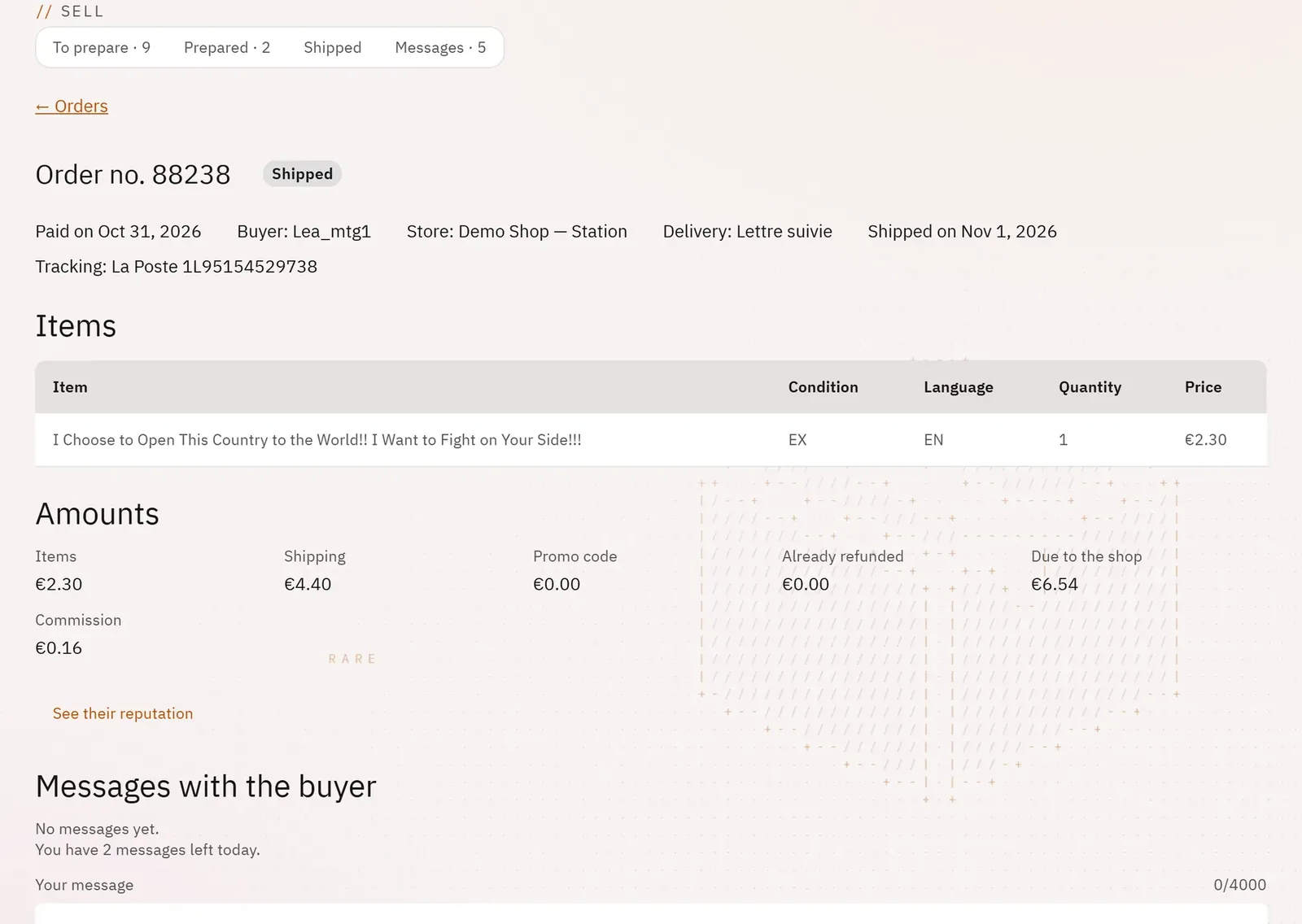
You have everything about an order in front of you, and you carry out the rare actions there: cancel, report a missing item, rate the buyer, write to them. The Messages tab gathers the conversations of all your orders.
 12
- 1The status
- 2The amounts
What you can do
- See the status, the payment and shipping dates, the buyer, the store, the delivery, the tracking, any dispute.
- See the items and the amounts: items, shipping, promo code, already refunded, due to the shop, commission.
- Check the buyer’s reputation.
- Cancel the order and refund the buyer, with a reason that is passed on to them.
- Report a missing item and state how many you can supply; the refund is calculated before you confirm.
- Rate the buyer.
- Write to the buyer on behalf of the shop; find all the conversations, unread first, in the Messages tab.
Step by step
- In the queue, click the order number.
- For an item you cannot find: Item missing, enter the quantity you can supply, then Confirm.
- To reply to the buyer: write in Your message, then Send.
- To see all the conversations: Messages tab, Unread filter.