
Stock and listings
List cards from a binder
pro.pyryx.com/stock/classeurs/vendreSee this screen in the demo
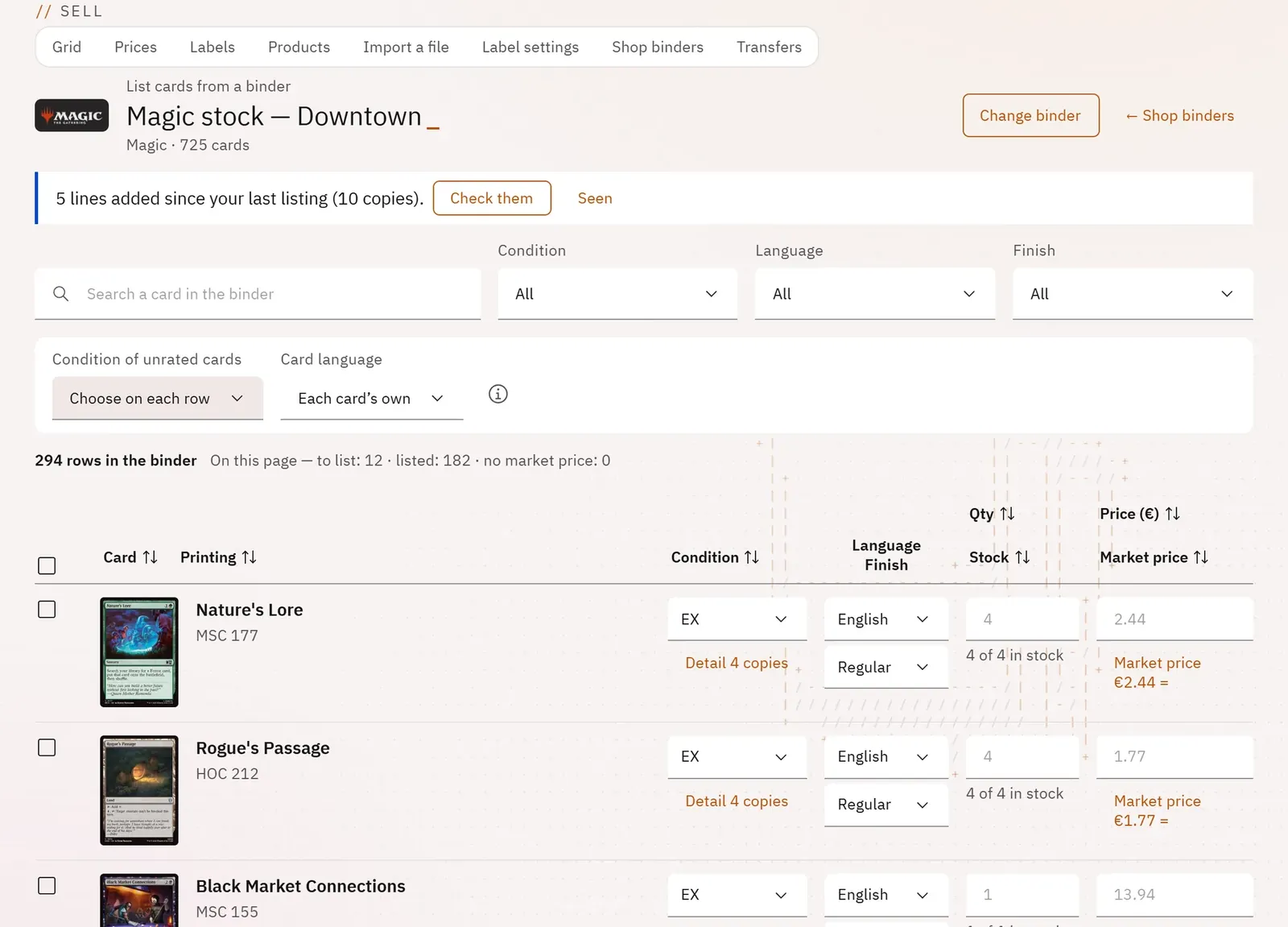
You put all or part of a binder on sale, even one of several thousand cards, on a single screen. A dry run tells you before publishing which cards cannot go, and why.
 12
- 1The chosen binder
- 2The quick tools
What you can do
- Choose the binder from tiles sorted by game.
- See the cards added since the last listing and tick them in one click.
- Search for a card, filter by condition, language or finish, sort by column.
- Correct, before publishing, the condition, the language, the finish, the quantity and the price of each row; detail the copies of a row.
- Change the condition or the language of many cards at once with the quick tools.
- Choose the scope (ticked cards, page, whole binder) and the price (the market price, the market price minus a discount, or a price entered for each card).
- Publish the whole binder in batches, stop and resume later.
Step by step
- In the grid, click List a binder, then the binder’s tile.
- Open Quick tools › Change the condition for the cards without a condition.
- In Apply to, choose the whole binder.
- In Price, choose The suggested price, minus a discount and enter the Discount (%).
- Click List … cards; if the dry run flags cards, read the reasons, then Publish anyway.
- Click See the listings in the grid.