
Stock and listings
Transfers between stores
pro.pyryx.com/stock/transfertsSee this screen in the demo
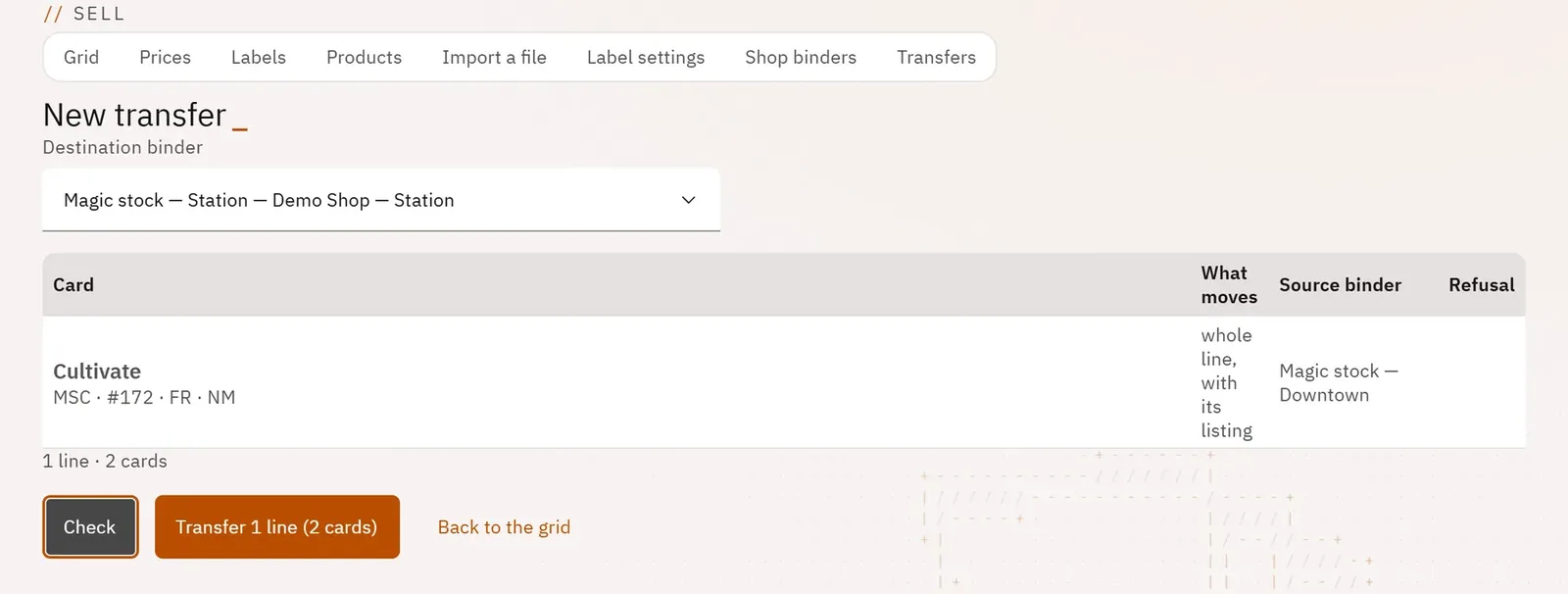
You move cards from one store to another while keeping track of who transferred what. Each transfer is checked line by line before it leaves, and leaves a printable slip.
 123
- 1The destination binder
- 2What is leaving, line by line
- 3Transfer
What you can do
- Start from a selection in the grid and choose a stock binder in another store, for the same game.
- Send a whole row with its listing, or only some of its copies.
- Check line by line what is leaving and why a line would be refused.
- List past transfers: date, route, destination binder, number of lines and cards, author.
- Open and print the transfer slip, on one A4 page.
Step by step
- In the grid, tick rows from the same store and the same game.
- Click Transfer.
- Choose the Destination binder and adjust the partial quantities.
- Click Check, then Transfer.
- Find the slip in the Transfers tab and click Print the slip.