
Buyback counter
Manager approval
pro.pyryx.com/reglages/comptoirSee this screen in the demo
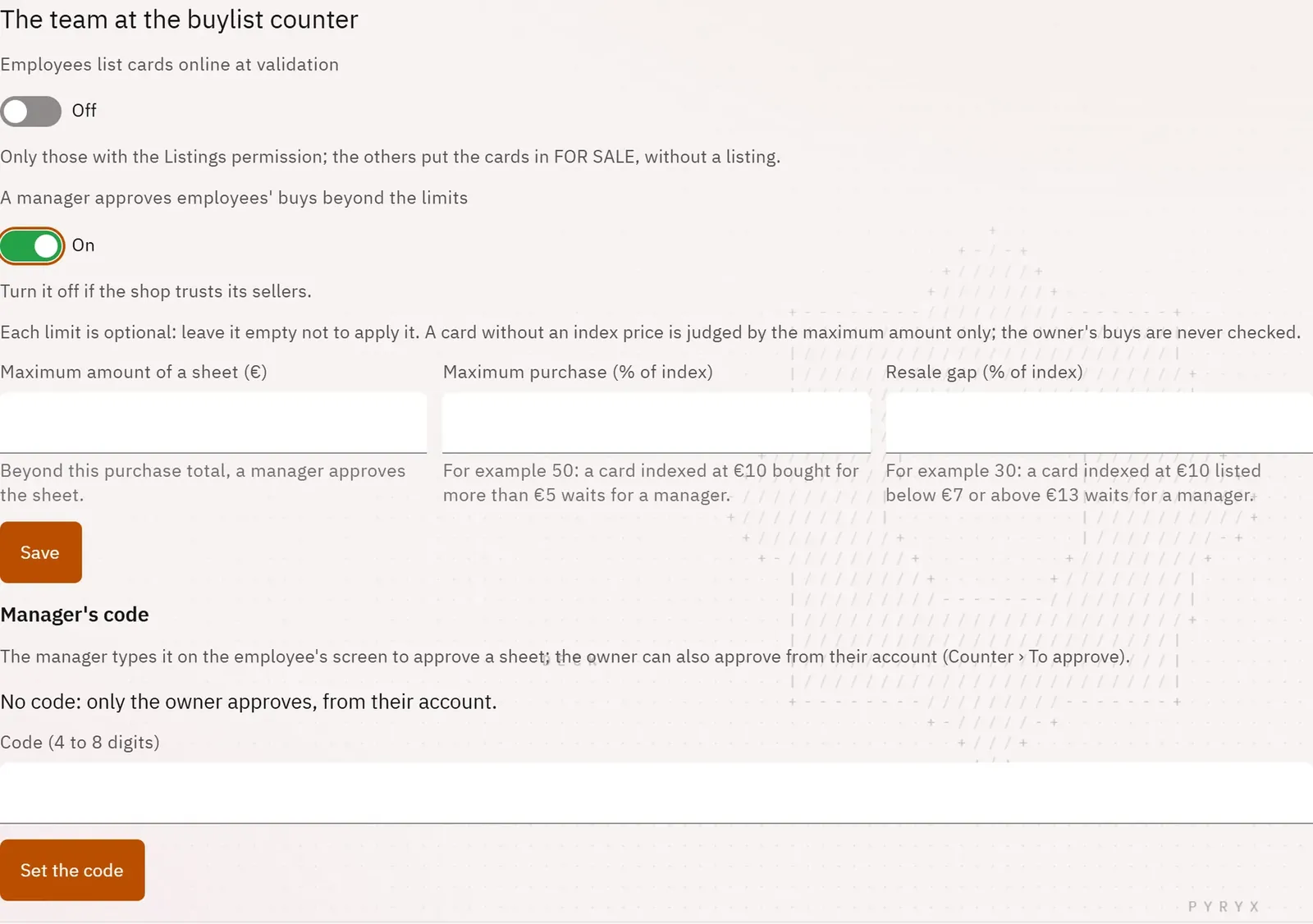
Let the team buy on their own while keeping control over large amounts and abnormal prices. Beyond your limits, an employee’s slip waits for a manager’s approval.
 123
- 1Turn on approval
- 2The shop’s limits
- 3The manager code
What you can do
- Turn on “A manager approves employees’ buys beyond the limits”.
- Three optional limits: the maximum amount of a slip, the maximum purchase as a percentage of the market price, the resale gap.
- A “Manager code” of 4 to 8 digits, typed by the manager on the employee’s screen.
- Or approval from the owner’s account, on the counter home screen.
- The option “Employees list cards online at validation”, for those who have the Listings and stock permission.
Step by step
- Open Settings, Counter, section “The team at the buylist counter”.
- Turn on approval, fill in the limits you want, then tap Save.
- Set the Manager code.
- At the counter, when the “A manager must approve this sheet” window opens, the manager types their code, then Approve with the code.