
Loyalty
Overview and members
pro.pyryx.com/fideliteSee this screen in the demo
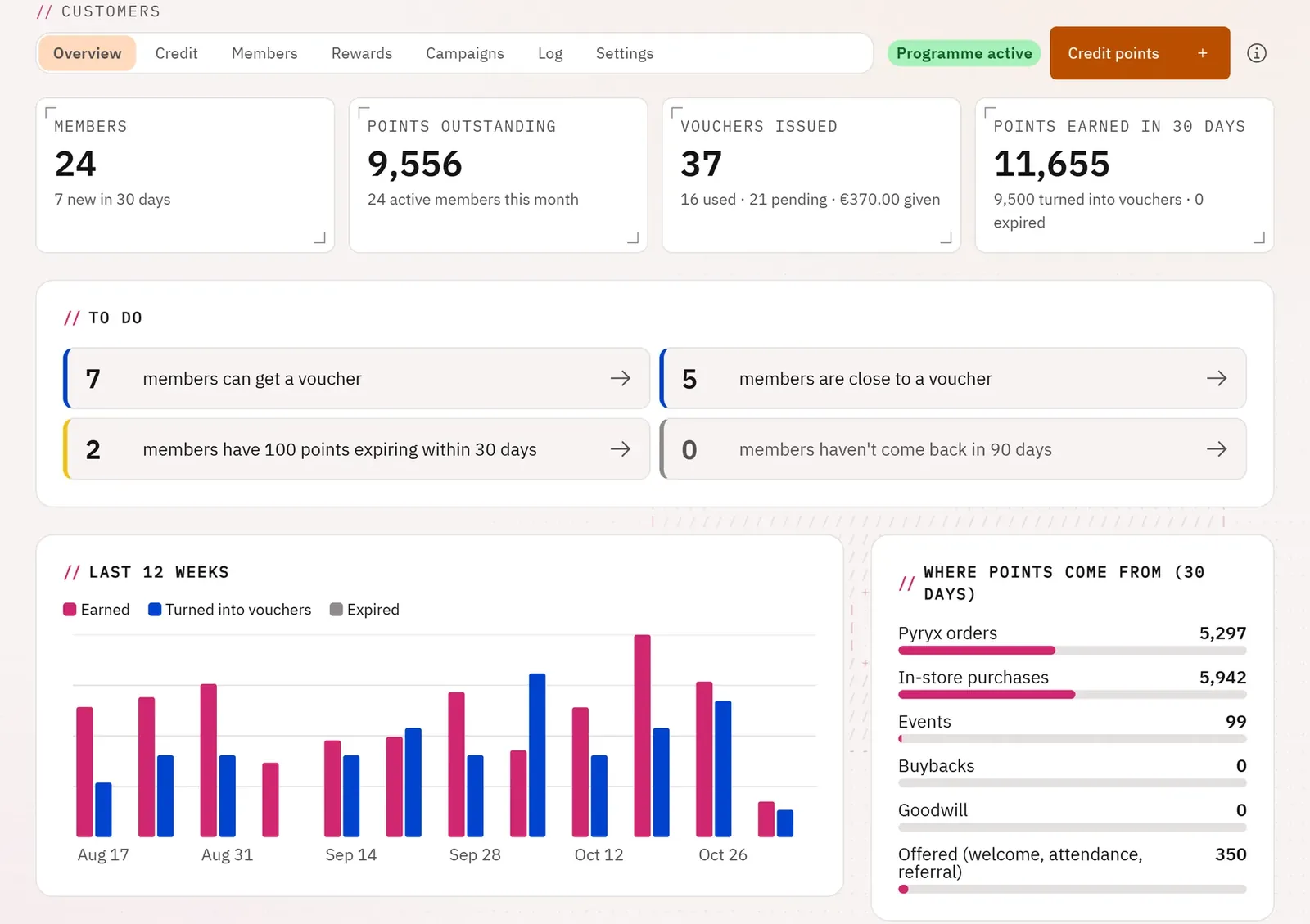
You see at a glance how the programme is doing and what needs action today: members who can get a voucher, points about to expire, customers who no longer come back. Each alert opens the list of the members concerned.
 123
- 1The key figures
- 2To do today
- 3The last 12 weeks
What you can do
- Follow the members, the points in circulation, the vouchers issued and the points earned in 30 days.
- Spot the members who can get a voucher, those who are close, those whose points expire within 30 days, those who have not come back for 90 days.
- See the last twelve weeks, where the points come from, the best members and the breakdown by status.
- List all the members, filter like the alerts, search, sort by points, points earned, last visit or name; credit from the list.
Step by step
- Open Loyalty.
- Click an alert in the To do block, for example the points that are expiring.
- In Members, click Credit on a member’s row, or their name to open their record.